
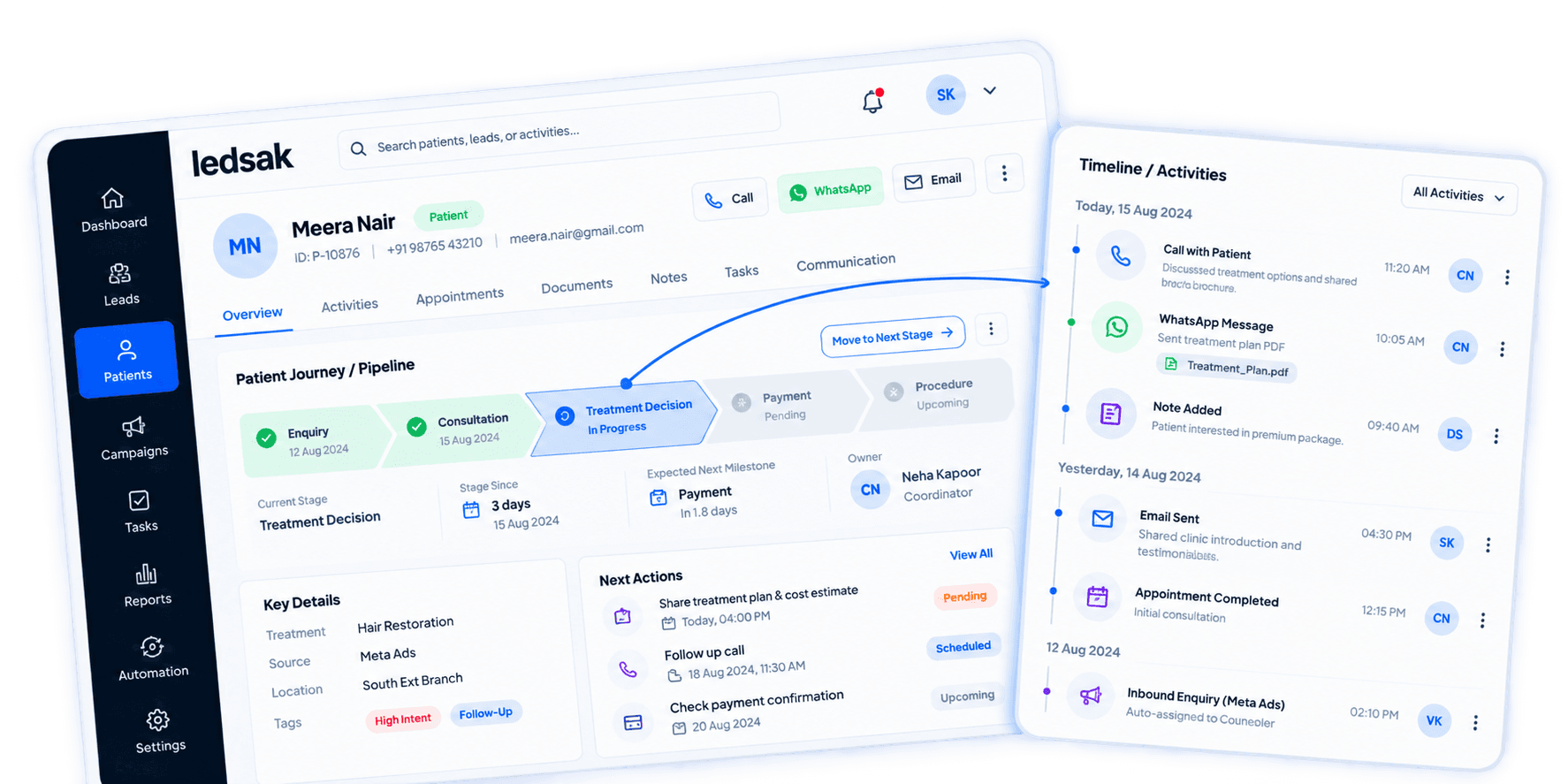









Turn Patient Activity Into Clear Journeys
Patient journeys can include enquiries, appointments, decisions, and ongoing engagement. LEDSAK Patient Journey Tracking organizes these activities into clear stages so teams can understand patient progression and pending actions.
Features of Patient Journey Tracking
- Journey Stage Mapping
- Milestone Tracking
- Touchpoint Timeline
- Stage Duration Tracking
- Journey Handoff Management
- Journey Performance Reporting
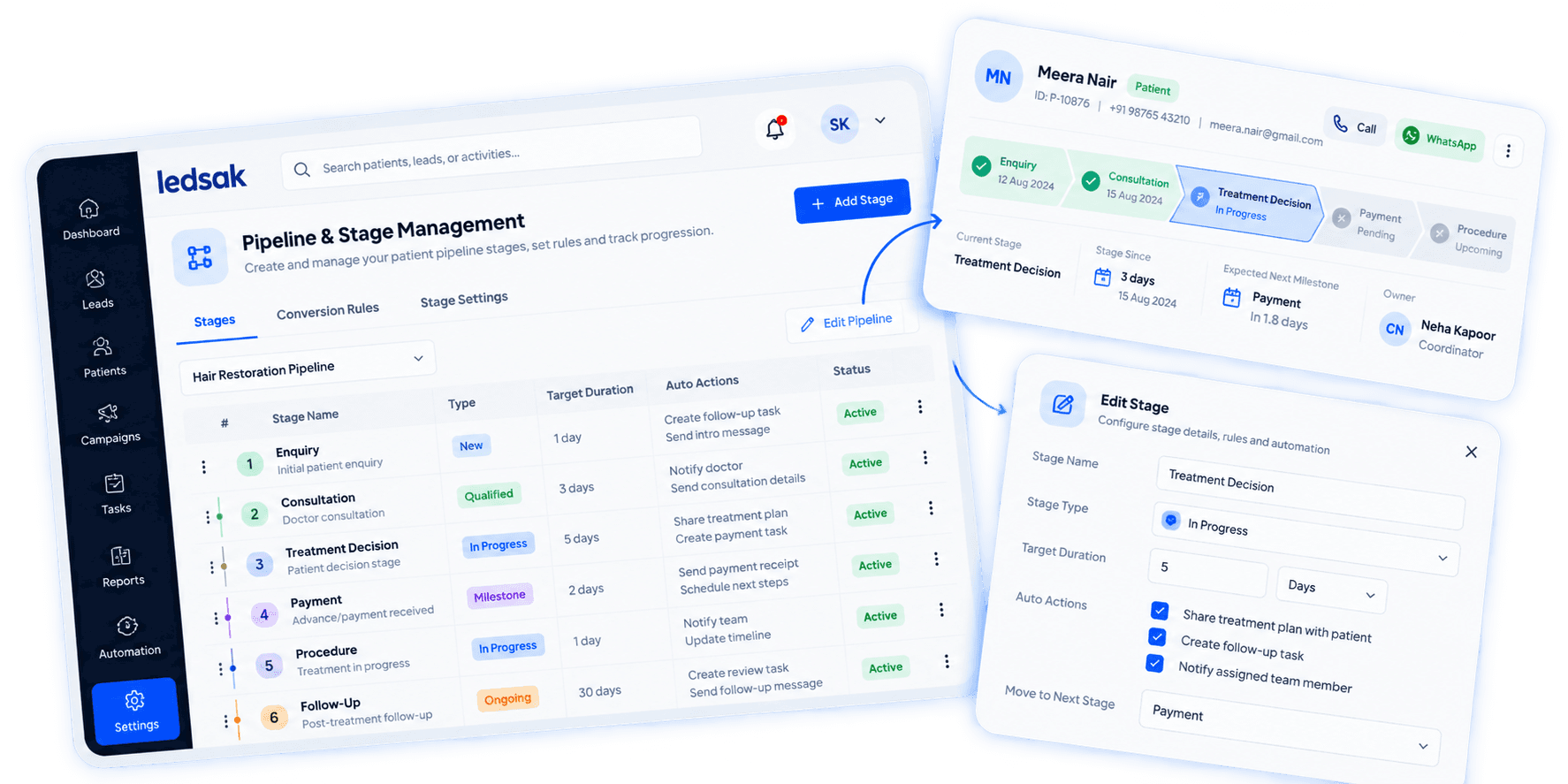
Patient Journey Tracking: How It Works
Track how patients move through defined stages and important milestones.
Define the Journey
Create stages that match your patient workflow.
Record Key Milestones
Track important events such as enquiries, consultations, and appointments.
Monitor Stage Movement
See when patients move from one stage to another.
Review Journey Progress
Identify completed, active, and delayed stages.
Build Journeys Around Your Workflow
Create patient journey stages based on how your organization manages patient progression.
Build Journeys Around Your Workflow
Define a structured path for different stages of patient engagement. Create patient journey stages based on how your organization manages patient progression.
- Custom Journey Structure
- Stage Configuration
- Workflow Mapping
- Journey Design
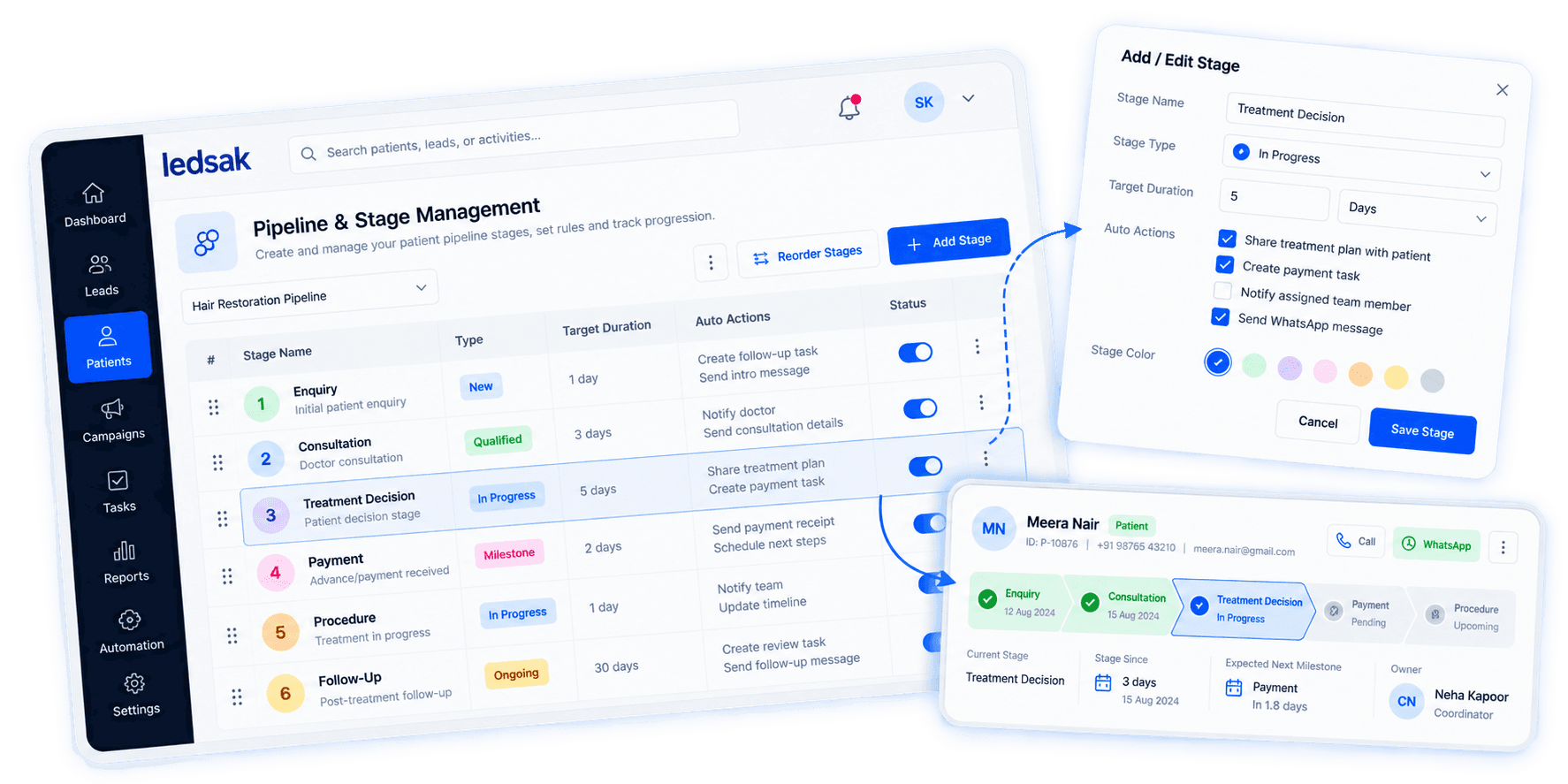
Track Important Patient Milestones
Record key events that show meaningful progress in the patient journey. Use important patient events as clear progression points.
- Consultation Milestones
- Appointment Milestones
- Decision Milestones
- Completion Milestones
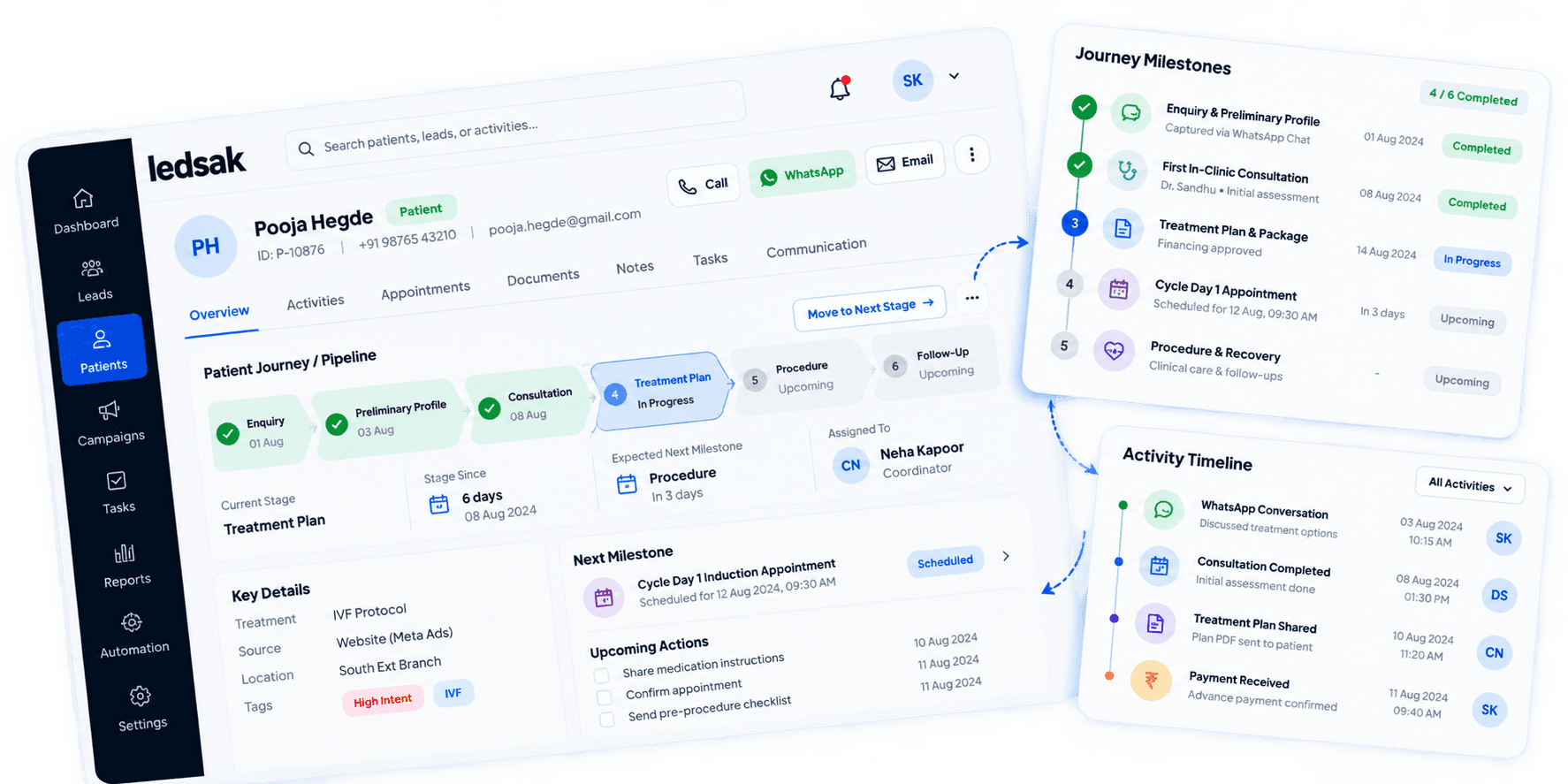
See Patient Touchpoints in Sequence
View relevant patient interactions according to when they occurred. Create a chronological record of patient engagement across the journey.
- Touchpoint Dates
- Interaction Sequence
- Channel Details
- Timeline Records
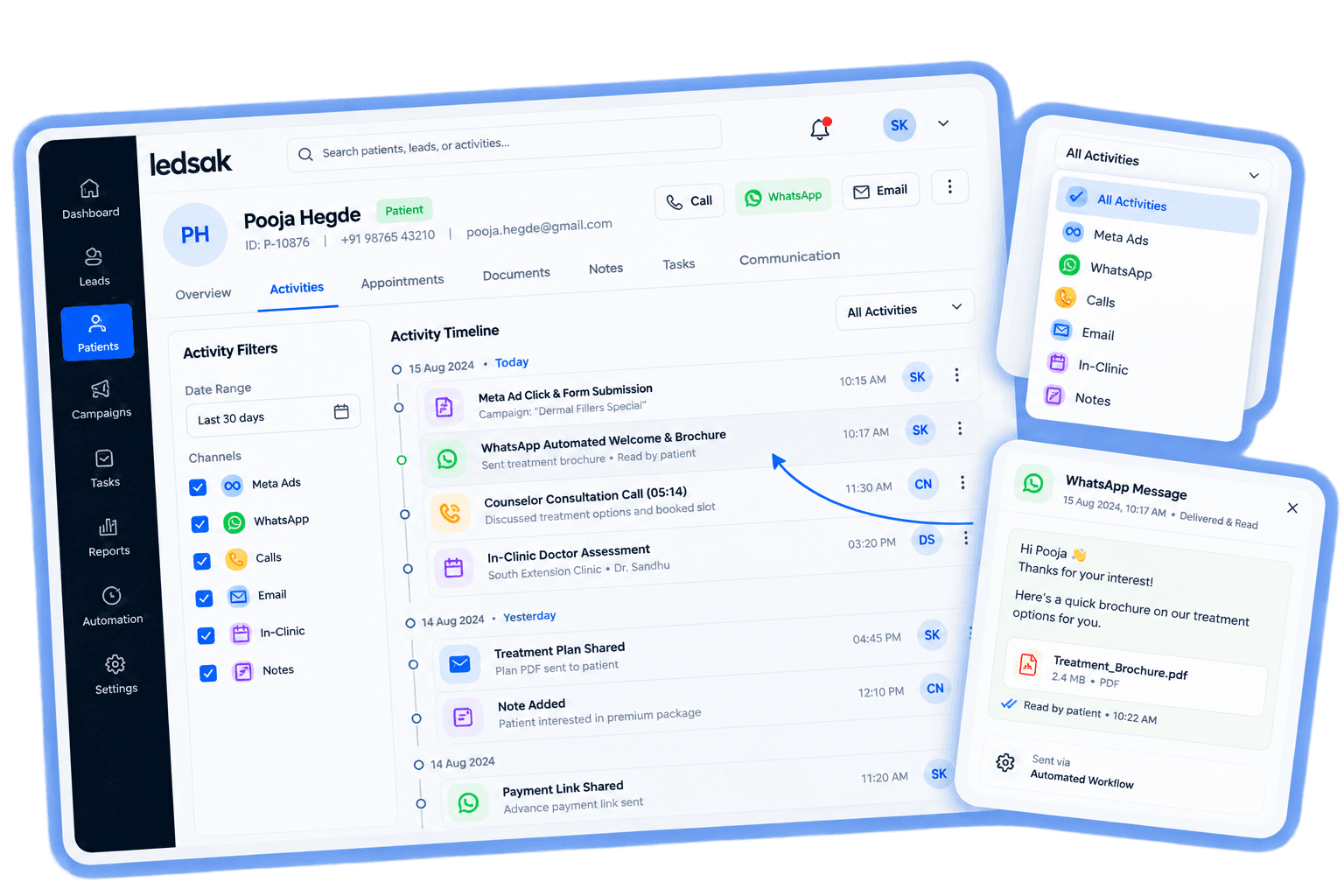
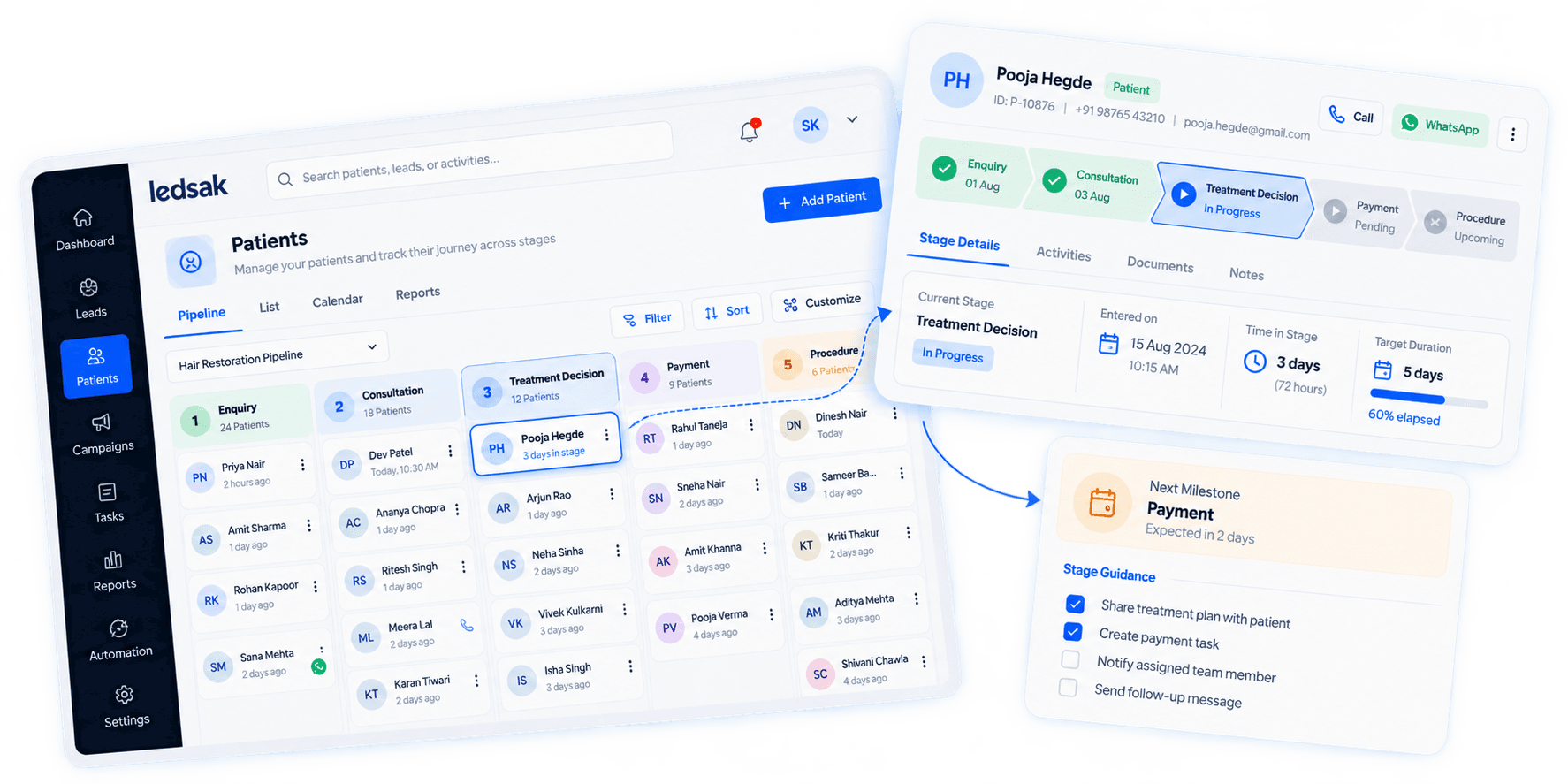
See How Long Each Stage Takes
Understand how much time patients spend at different journey stages. Measure movement between stages and identify slower progression.
- Time-in-Stage
- Stage Entry
- Stage Exit
- Duration Tracking
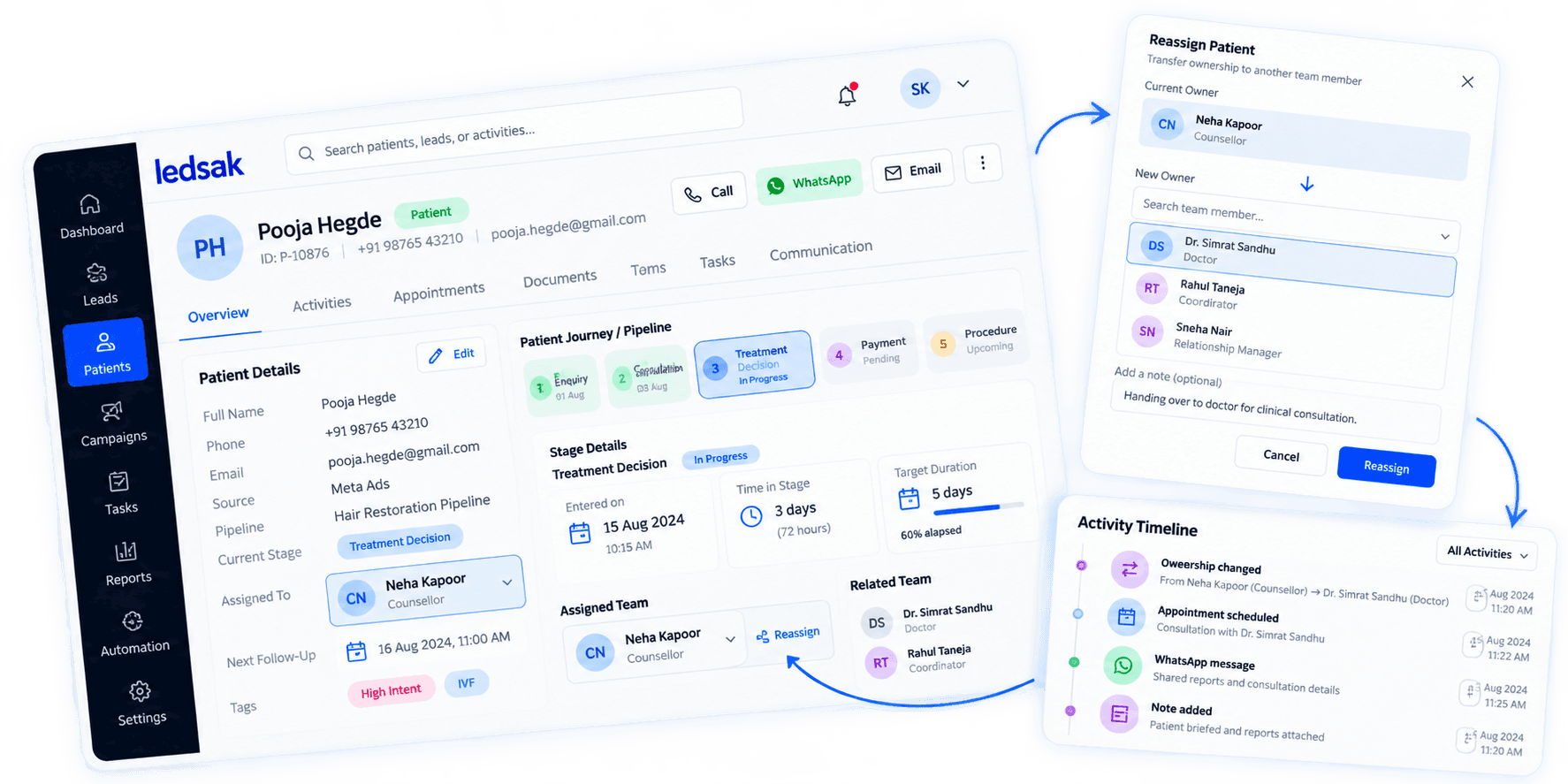
Keep Patient Handoffs Clear
Maintain continuity when patient responsibility moves between teams or departments. Track responsibility changes at different stages of the patient journey.
- Team Transfers
- Ownership Changes
- Handoff Dates
- Responsibility Tracking
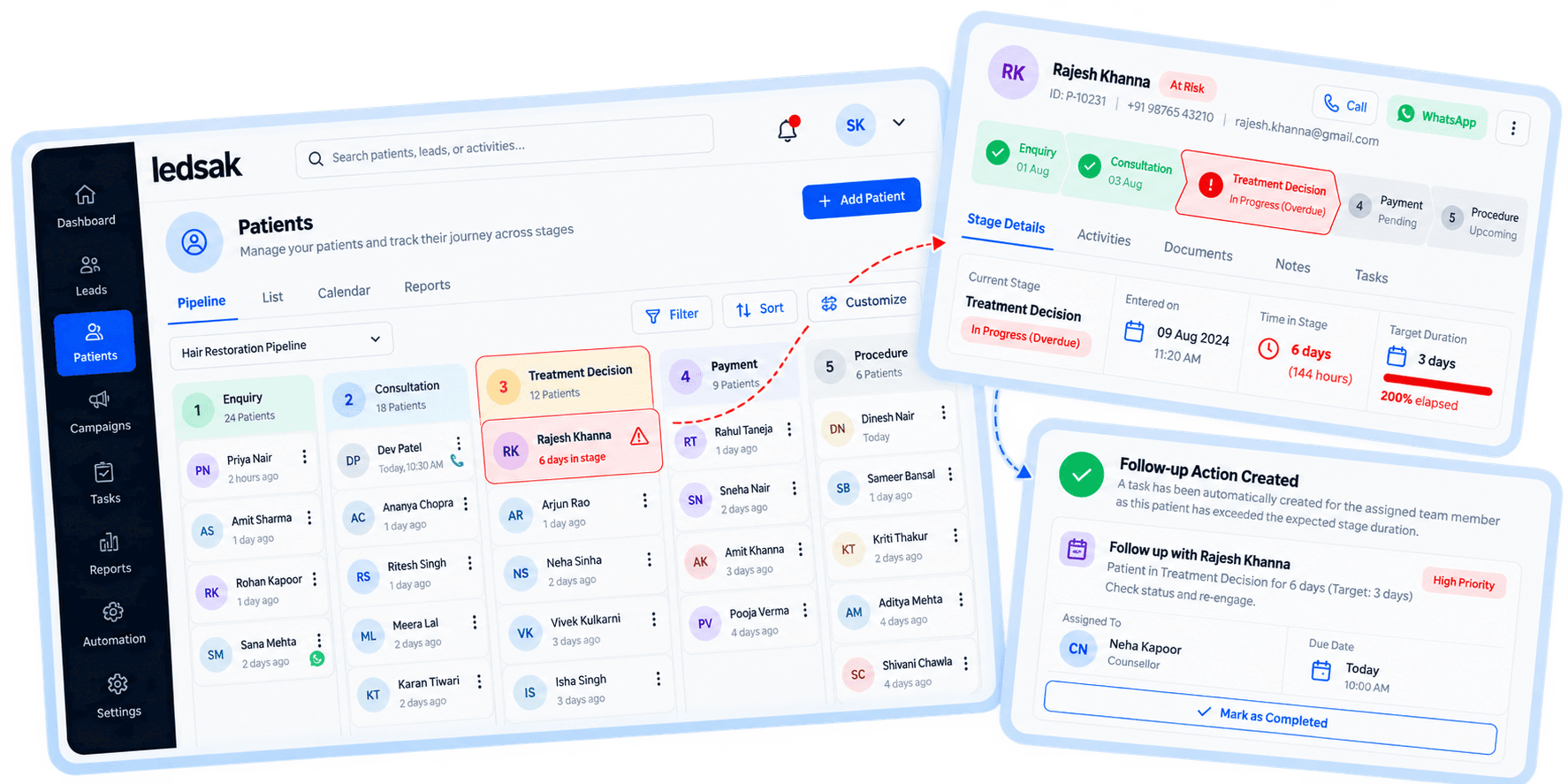
Identify Stalled Patient Journeys
Find patients whose next stage or milestone has not progressed as expected. Highlight delayed or inactive journeys that may need attention.
- Delayed Stage Movement
- Inactive Journeys
- Pending Milestones
- Gap Visibility
Group Patient Journeys for Analysis
Organize patient journeys into relevant groups for easier review. Filter journeys using selected patient and workflow attributes.
- Stage Segments
- Source Segments
- Service Groups
- Custom Filters
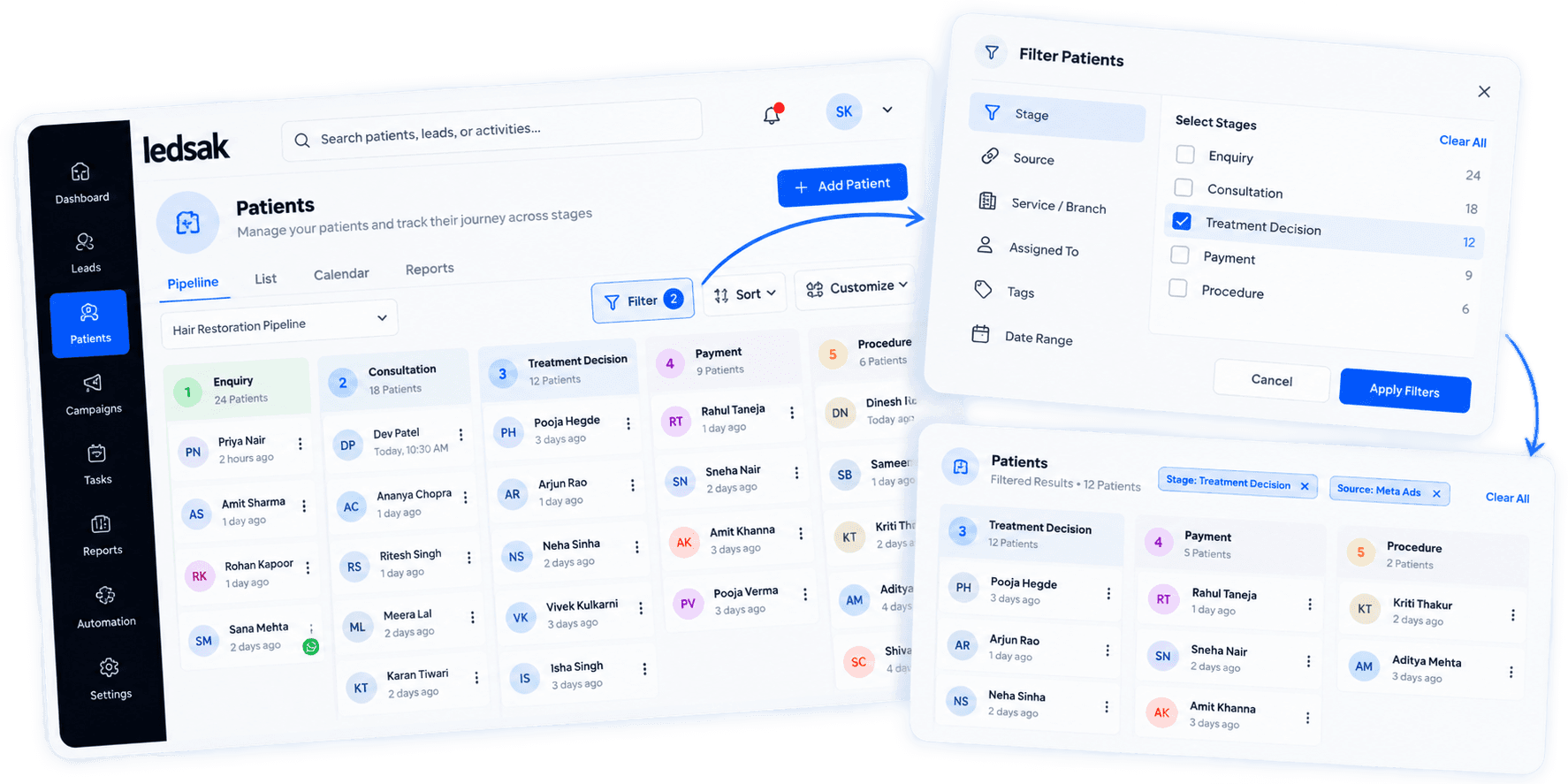
Measure Patient Journey Progression
Review journey data to understand stage movement and milestone completion. Use structured reports to analyze patient progression over time.
- Stage Progress Reports
- Milestone Completion
- Journey Duration
- Movement Trends
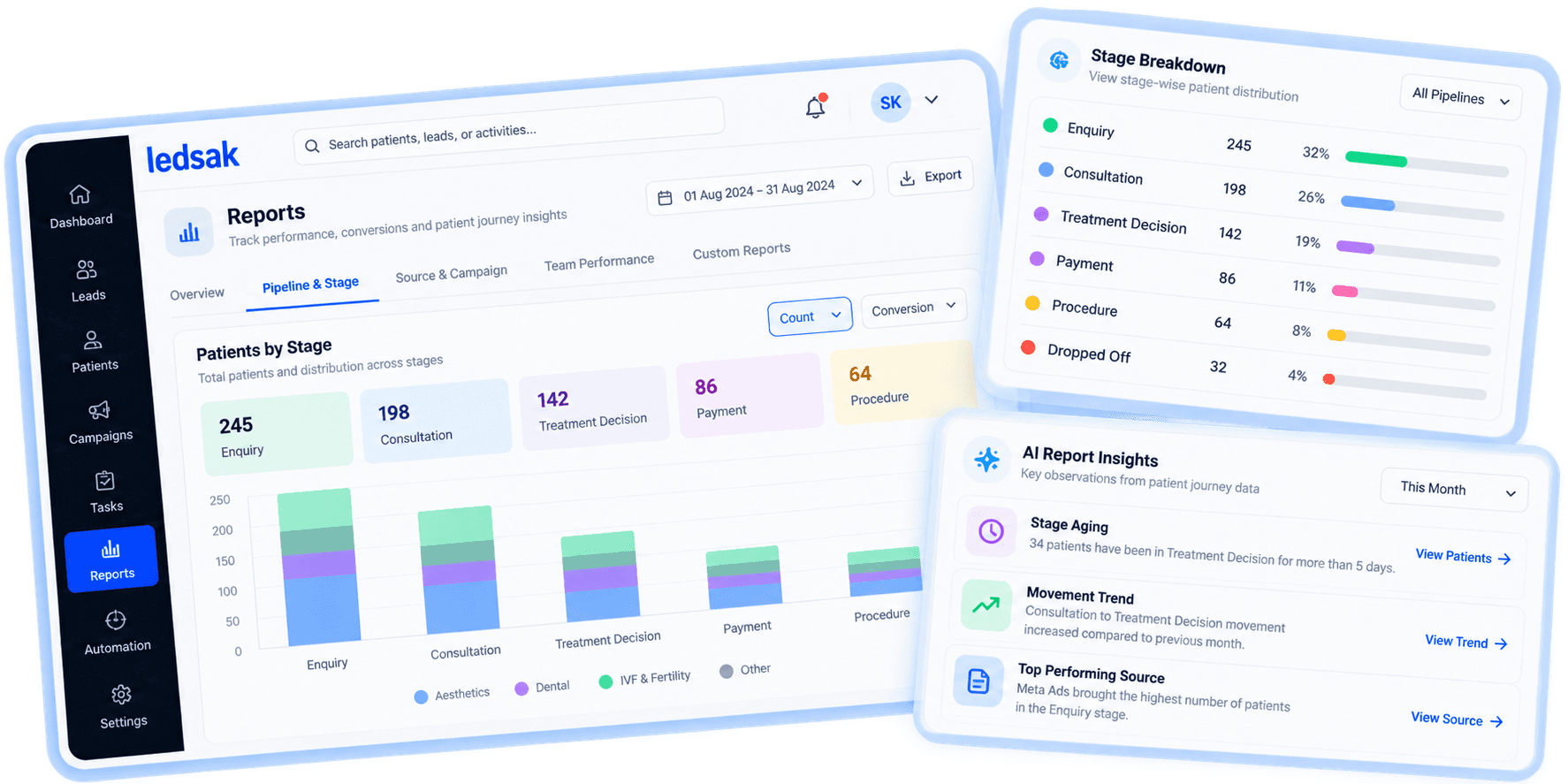
Get a Clearer View of Progression
Understand how patients move through each stage of your workflow.
Better Journey Visibility
See patient stages and milestones clearly.
Easier Progress Analysis
Identify where journeys slow or stop.
Clearer Handoffs
Keep responsibility visible as patients move between teams.
Need Help Setting Up Your Patient Journey?
Our healthcare implementation specialists will map your custom stages, configure milestone alerts, and connect your team handoffs.
Contact Us Today