
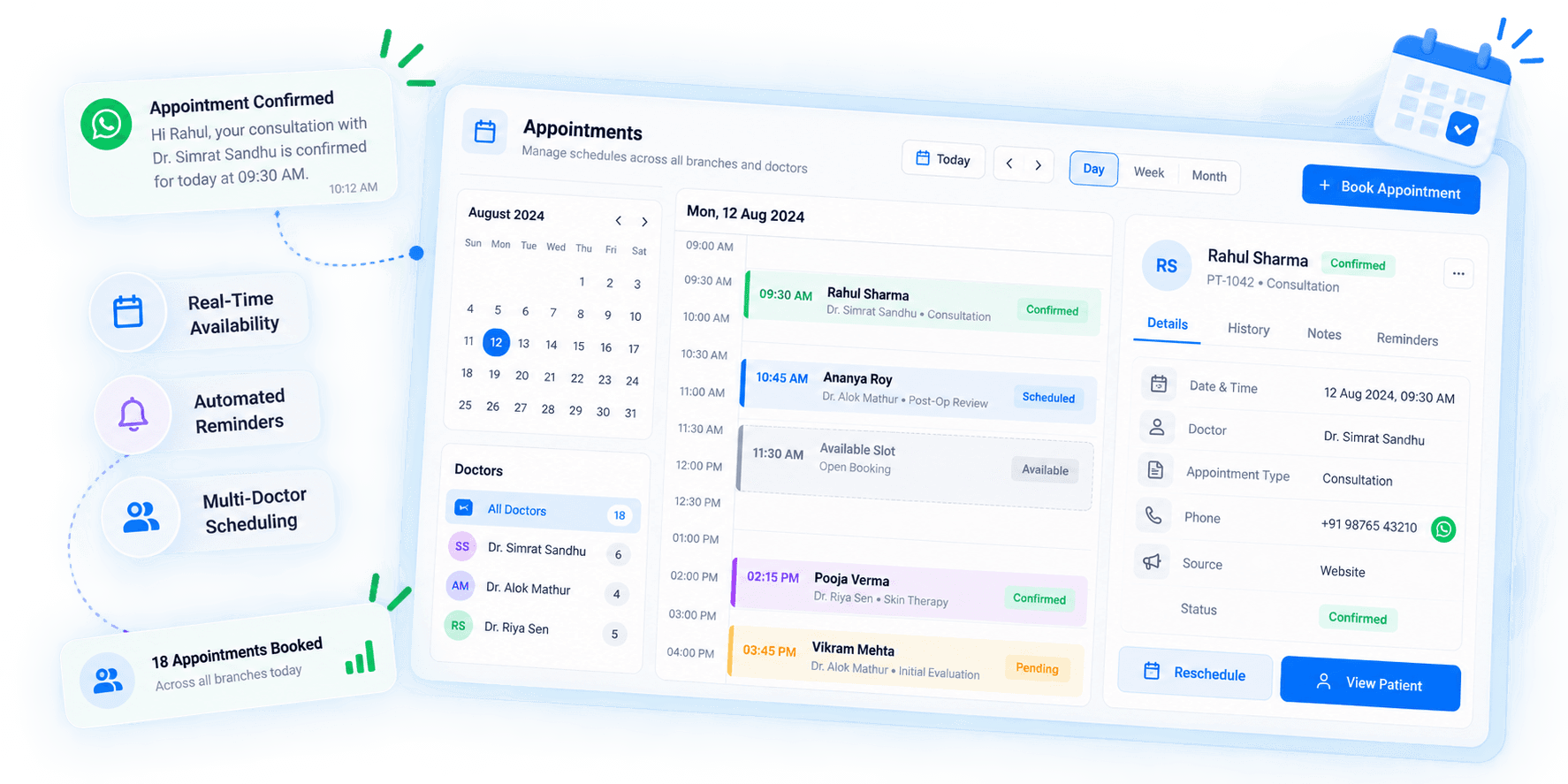









Keep Patient Scheduling in One Place
Managing appointments across calls, messages, and separate calendars can make scheduling harder to track.
LEDSAK Patient Scheduling Software helps teams schedule, update, and manage patient appointments through one structured workflow.
Features of Patient Scheduling Software
- Centralized Appointment Calendar
- Appointment Booking
- Rescheduling & Cancellation
- Automated Reminders
- Availability Management
- Team Scheduling
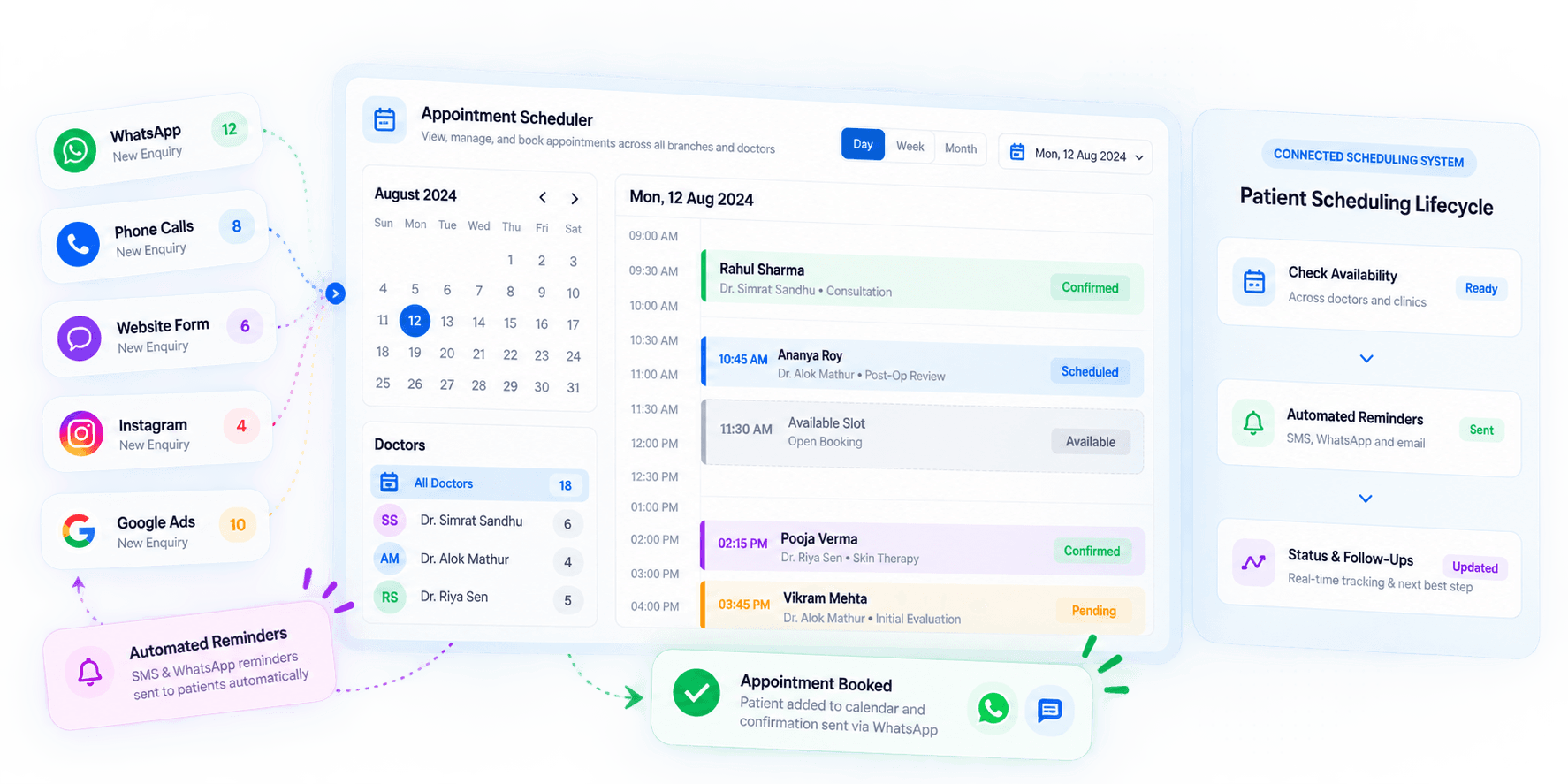
Patient Scheduling Software: How It Works
Manage the complete scheduling process from checking availability to updating appointment status.
Check Availability
View available dates and time slots before booking.
Schedule the Appointment
Add patient details and select the suitable slot.
Send Appointment Reminders
Set reminders for upcoming patient appointments.
Track Appointment Status
Update appointments as scheduled, rescheduled, cancelled, or completed.
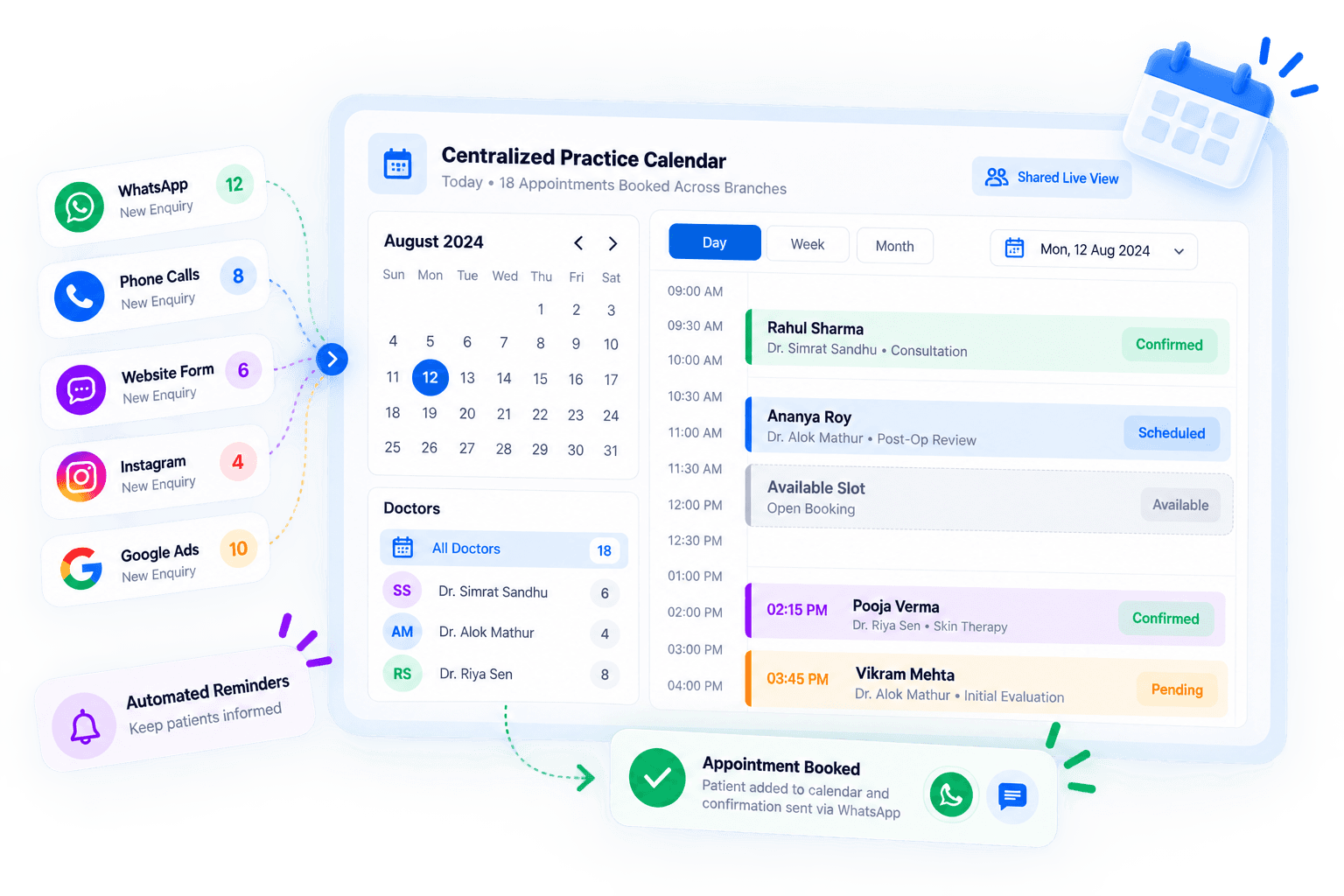
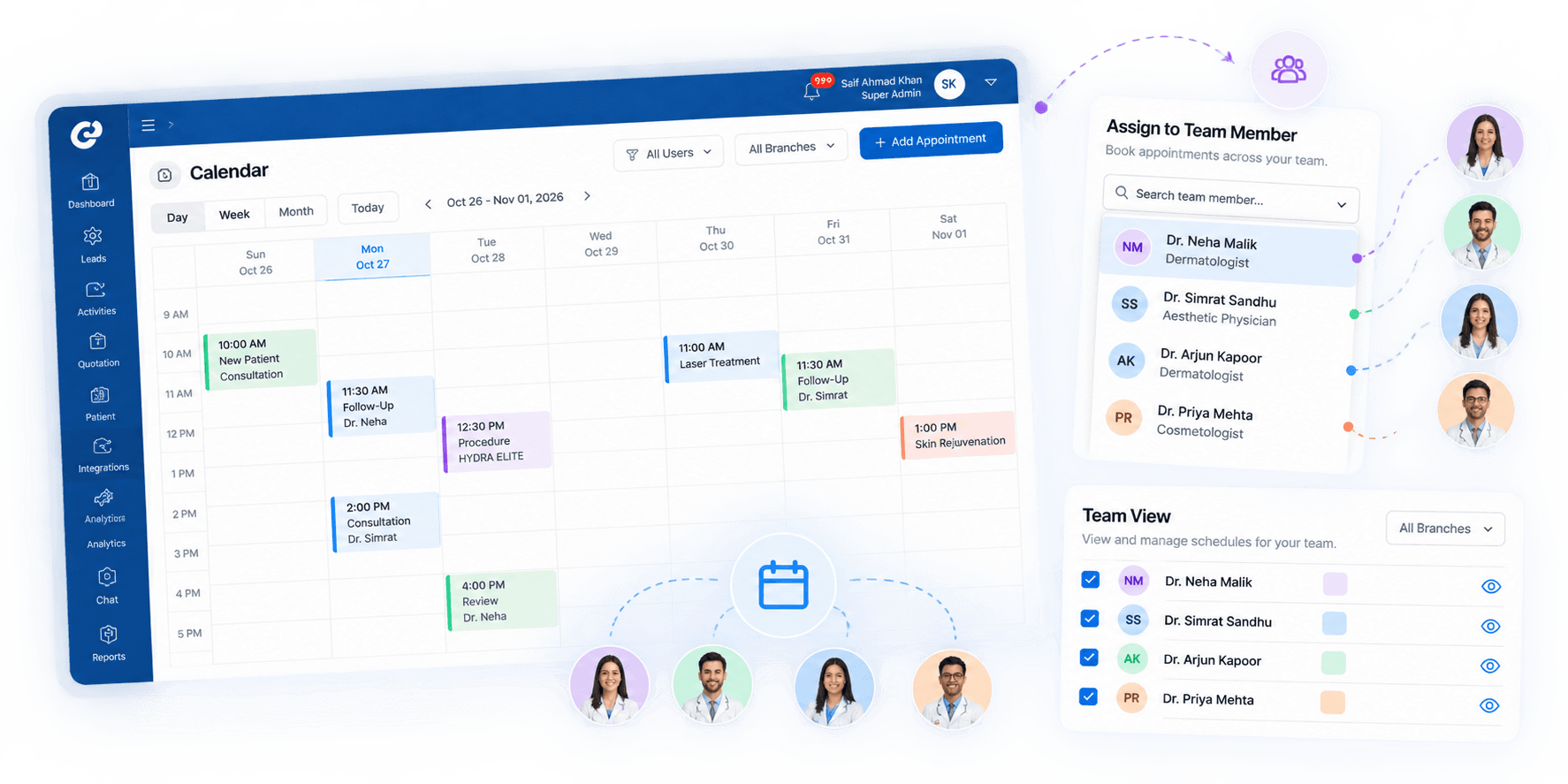
Manage Appointments From One Calendar
Keep patient bookings, available slots, and schedule changes visible in one shared calendar.
Manage Appointments From One Calendar
Give relevant team members access to the latest appointment schedule. Keep patient bookings, available slots, and schedule changes visible in one shared calendar.
- Centralized Calendar View
- Latest Appointment Schedule
- Available Slot Visibility
- Cross-Team Access
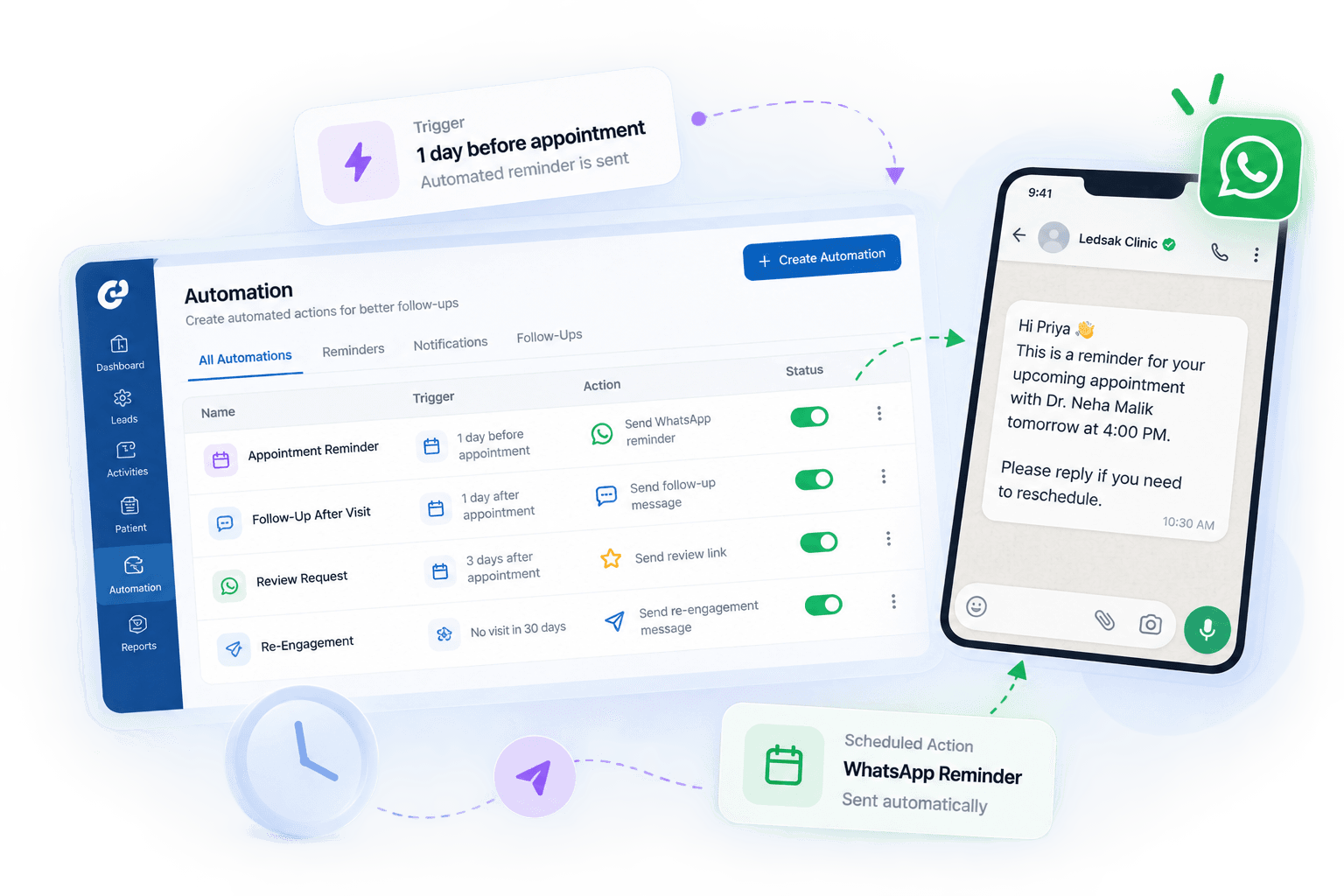
Keep Patient Reminders on Schedule
Use scheduled reminders to keep upcoming appointments visible without relying only on manual tracking. Set reminders and follow-up tasks for upcoming appointments.
- Scheduled Reminders
- Upcoming Appointments
- Reminder Workflows
- Follow-Up Tasks
Manage Available Time Slots Clearly
Keep available dates and booking slots organized for faster scheduling. Create and manage custom slots with clear schedule visibility.
- Available Time Slots
- Custom Booking Slots
- Schedule Visibility
- Calendar Availability

Manage Appointment Changes More Easily
Update rescheduled or cancelled appointments while keeping current booking details visible. Keep appointment changes updated within the same scheduling process.
- Easy Rescheduling
- Cancellation Updates
- Schedule Changes
- Appointment Updates

Keep Teams Updated on Appointments
Give relevant team members visibility into bookings and scheduling changes. Maintain one shared schedule for appointment coordination.
- Shared Schedule
- Team Visibility
- Appointment Updates
- Scheduling Activity
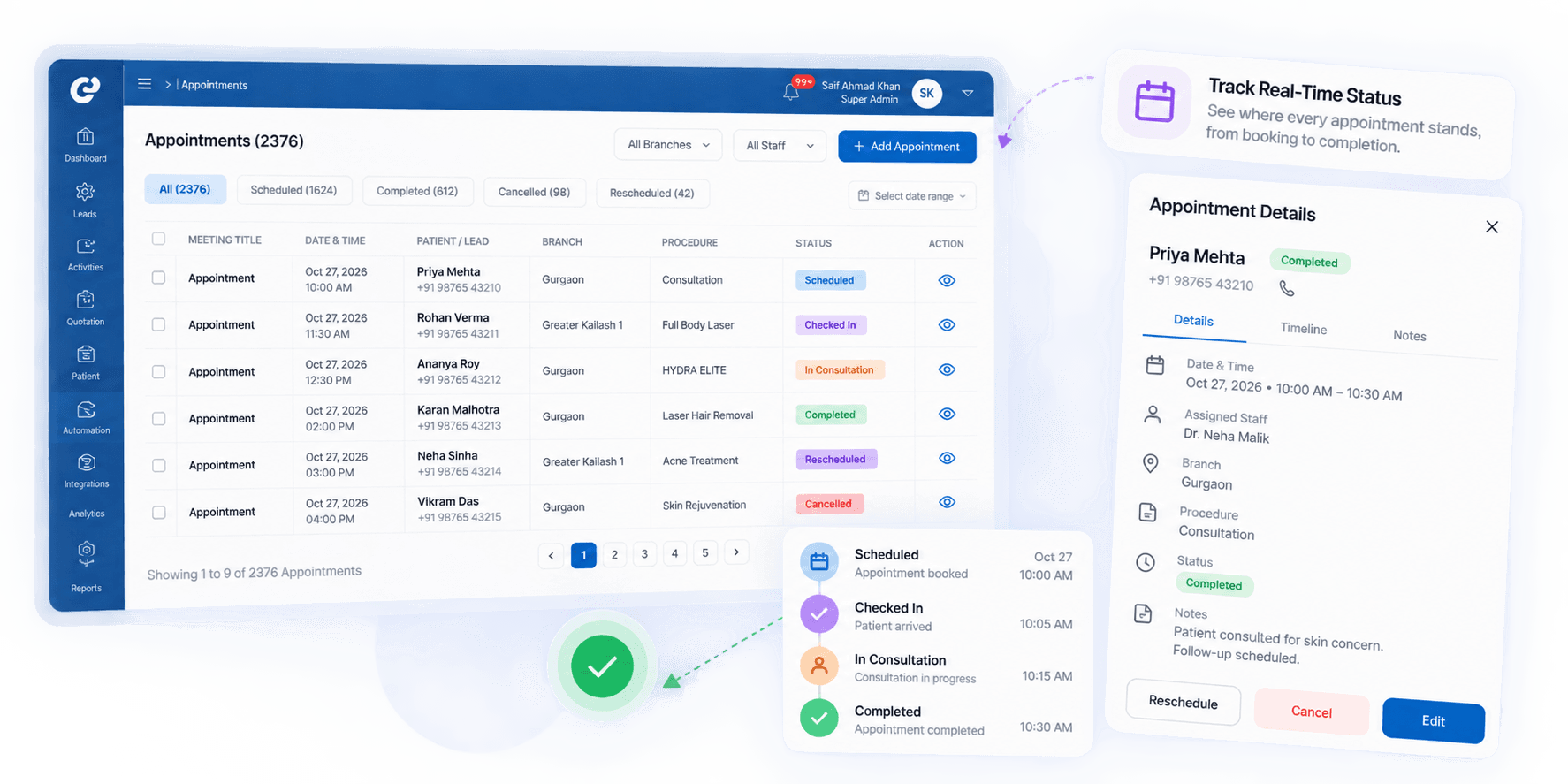
See Where Every Appointment Stands
Track appointment status and identify bookings that still need action. Use clear status updates throughout the scheduling process.
- Scheduled
- Confirmed
- Rescheduled
- Cancelled
- Pending Follow-Up
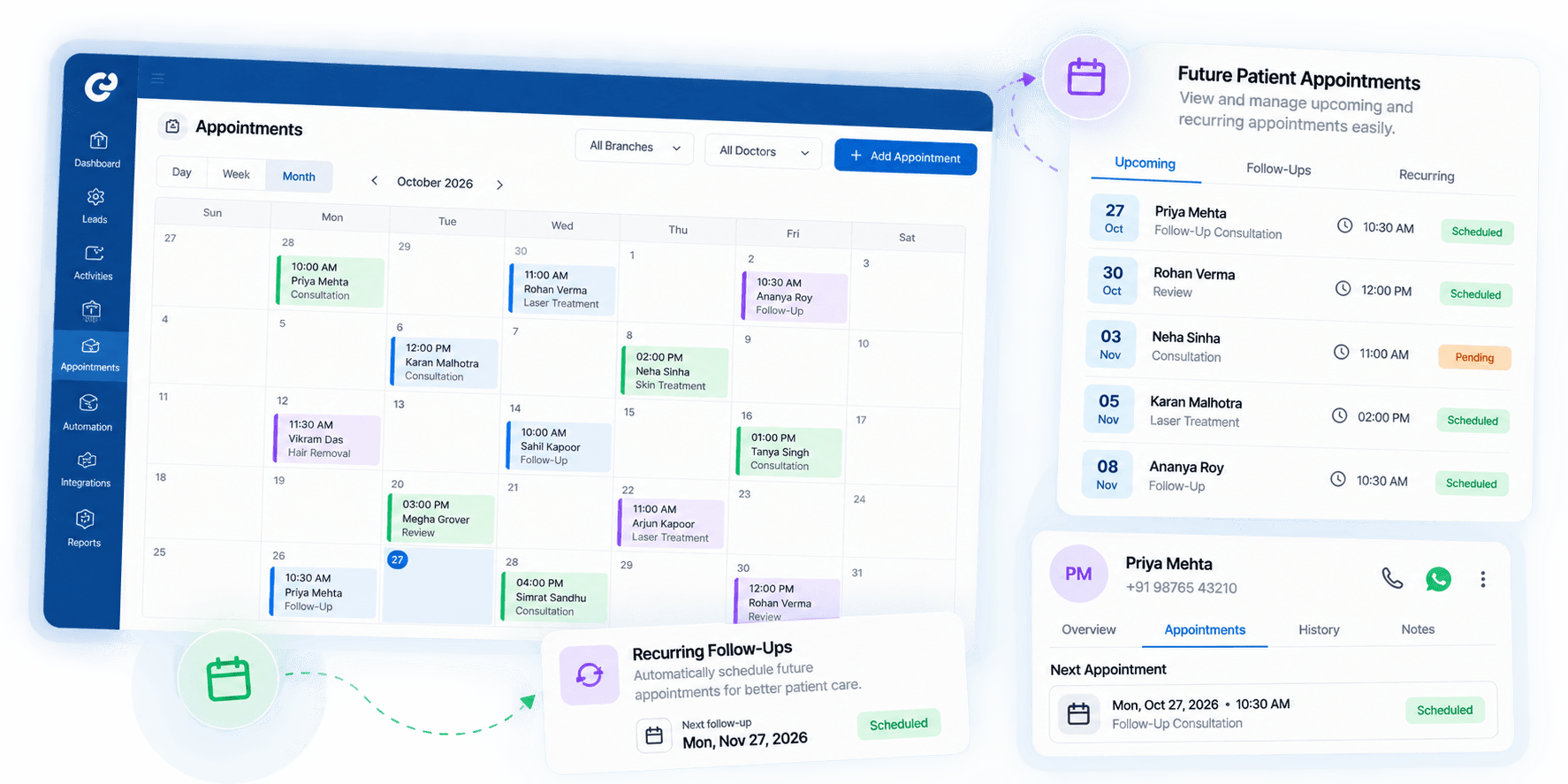
Plan Future Patient Appointments
Schedule future visits and related follow-up activities in one workflow. Keep the next patient appointment or action visible.
- Future Appointments
- Follow-Up Tasks
- Next-Action Reminders
- Scheduling History
Build a More Organized Scheduling Process
Manage appointments, availability, reminders, and schedule changes through one connected workflow.
Clearer Schedules
Keep appointments and available slots easy to review.
Less Manual Tracking
Use reminders for repetitive scheduling activities.
Better Team Visibility
Keep teams updated on appointment changes and next actions.
Frequently Asked Questions
Have questions about patient scheduling? Our team is available to help customize doctor calendars, slot rules, and reminder workflows.
Contact Us Today