
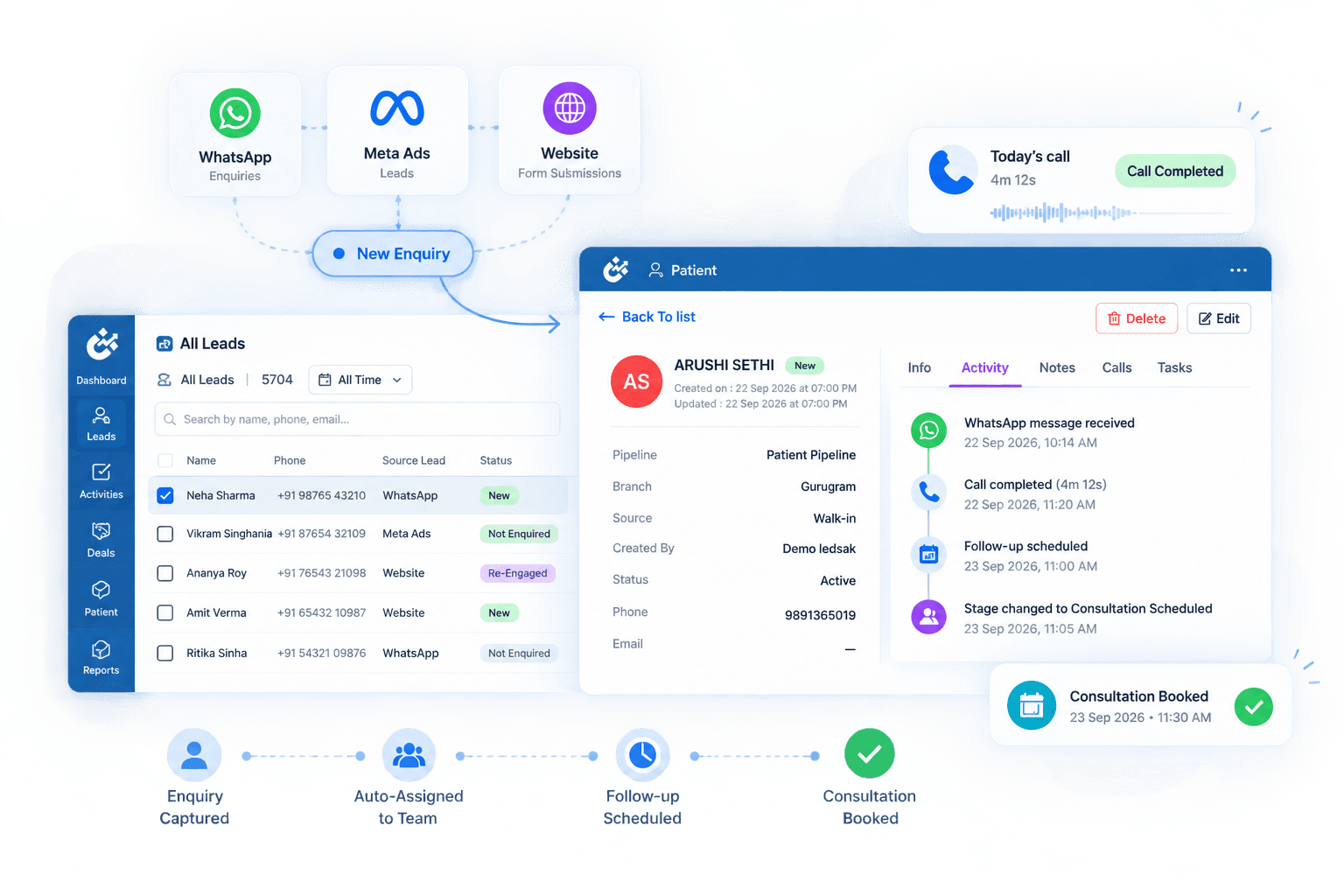









Give Your Team the Right Access and Clear Responsibility
As teams grow, different users need different levels of access, responsibility, and visibility. LEDSAK Team & User Management lets you configure users, roles, permissions, assignments, and team structures around how your clinic or hospital actually operates.
Core Capabilities
- Role-Based Access Control
- User Permission Management
- Team Configuration
- Lead Ownership
- Manager Visibility
- Audit Logs
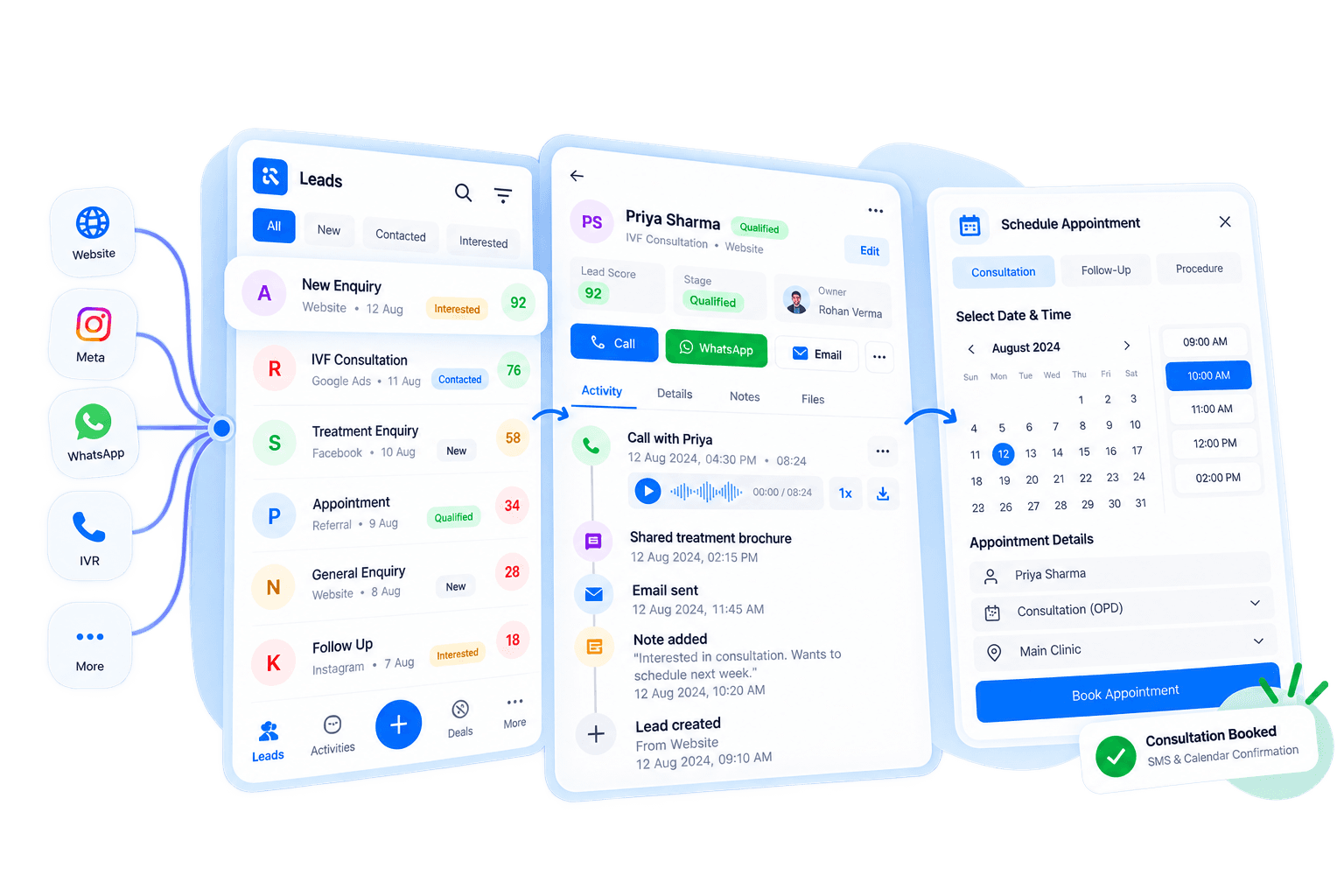
Team & User Management: How It Works
LEDSAK brings user setup, roles, permissions, and activity monitoring into one structured workflow. From adding a new team member to configuring their access and reviewing their activity, managers can handle every step from one system.
Add Your Users
Set up the relevant team members who need access to your CRM workflow.
Define User Roles
Organize users according to their role and responsibilities within your organization.
Configure Access
Set permissions so users can access the information and functions relevant to their role.
Monitor Team Activity
Give managers visibility into ownership, tasks, follow-ups, and user activity across the workflow.
Give Every Team Member the Right Access
Configure who can see what, assign clear ownership over leads and tasks, organize your team by branch or function, and keep a time-stamped record of activity — all from one settings panel.
Define What Each Role Can See and Do
Different team members don't need access to the same information or functions. Define what each role can access within LEDSAK, from clinical notes to billing.
- Role-Based Access
- Permission Configuration
- Controlled Information Access
- User-Level Visibility
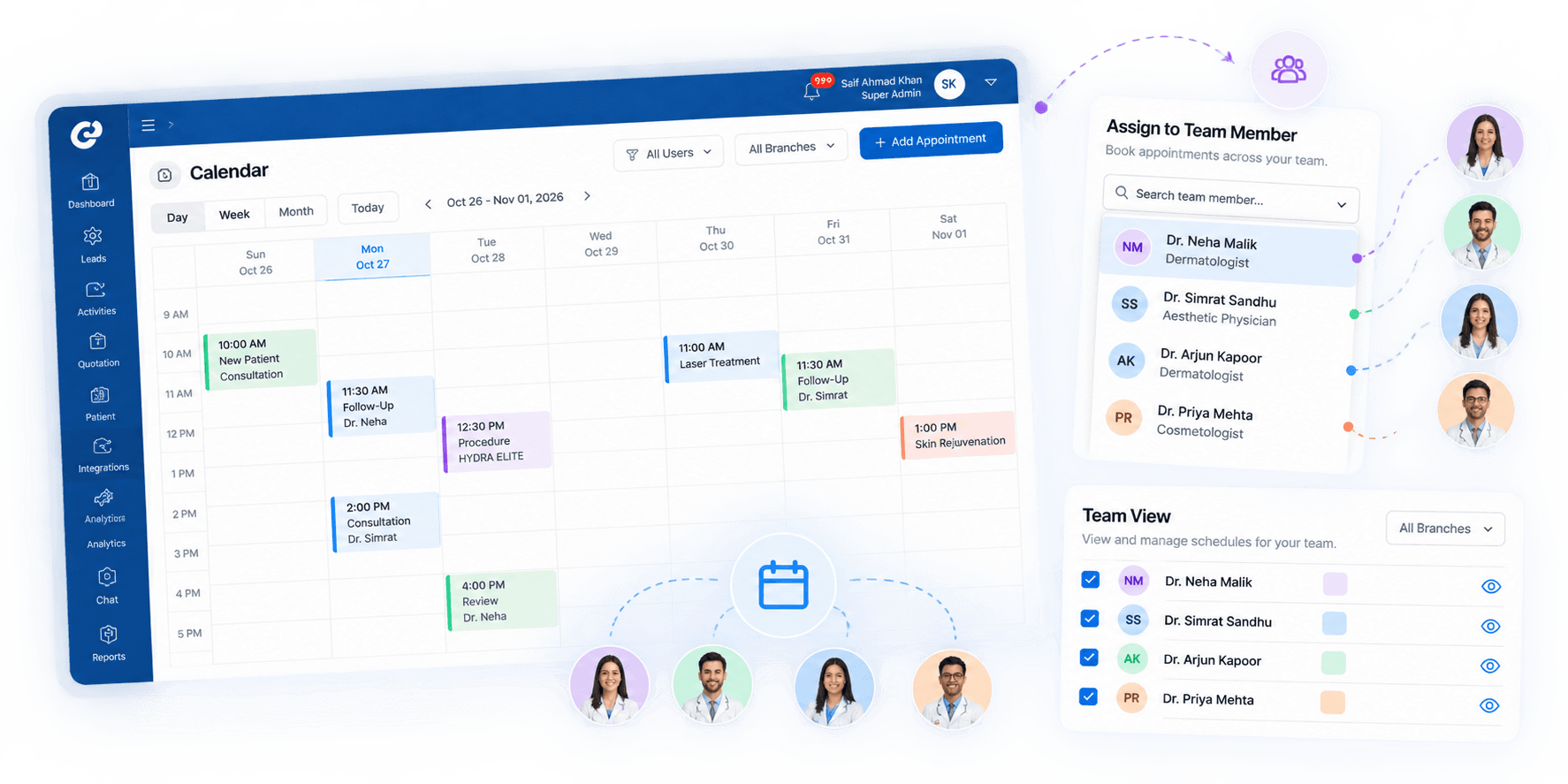
Organize Users by Branch, Team, or Function
Group CRM users by relevant teams, functions, branches, or operational units so structure in the system matches how your clinic actually works.
- Team Setup
- User Grouping
- Department Structure
- Branch-Based Organization
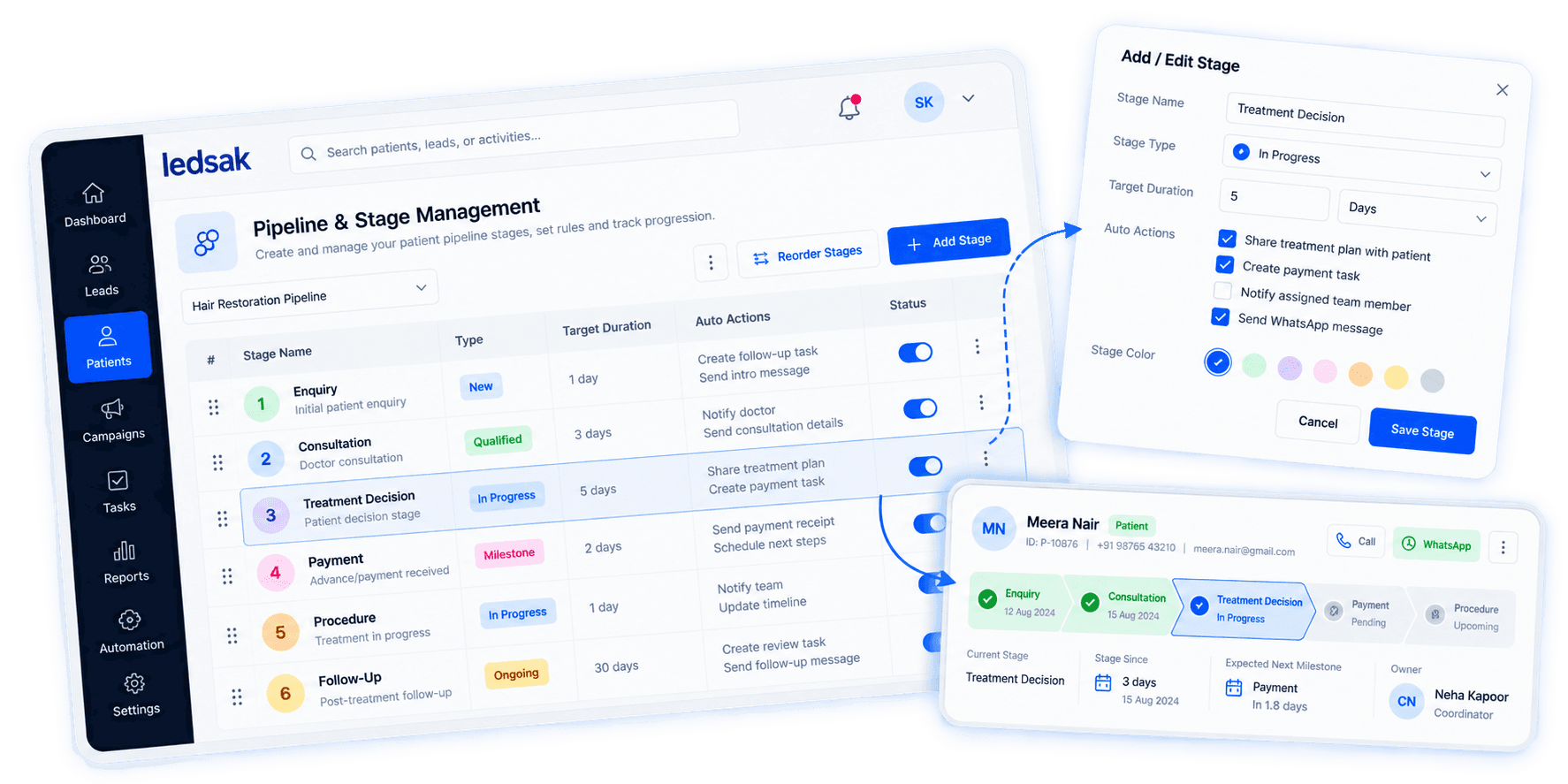
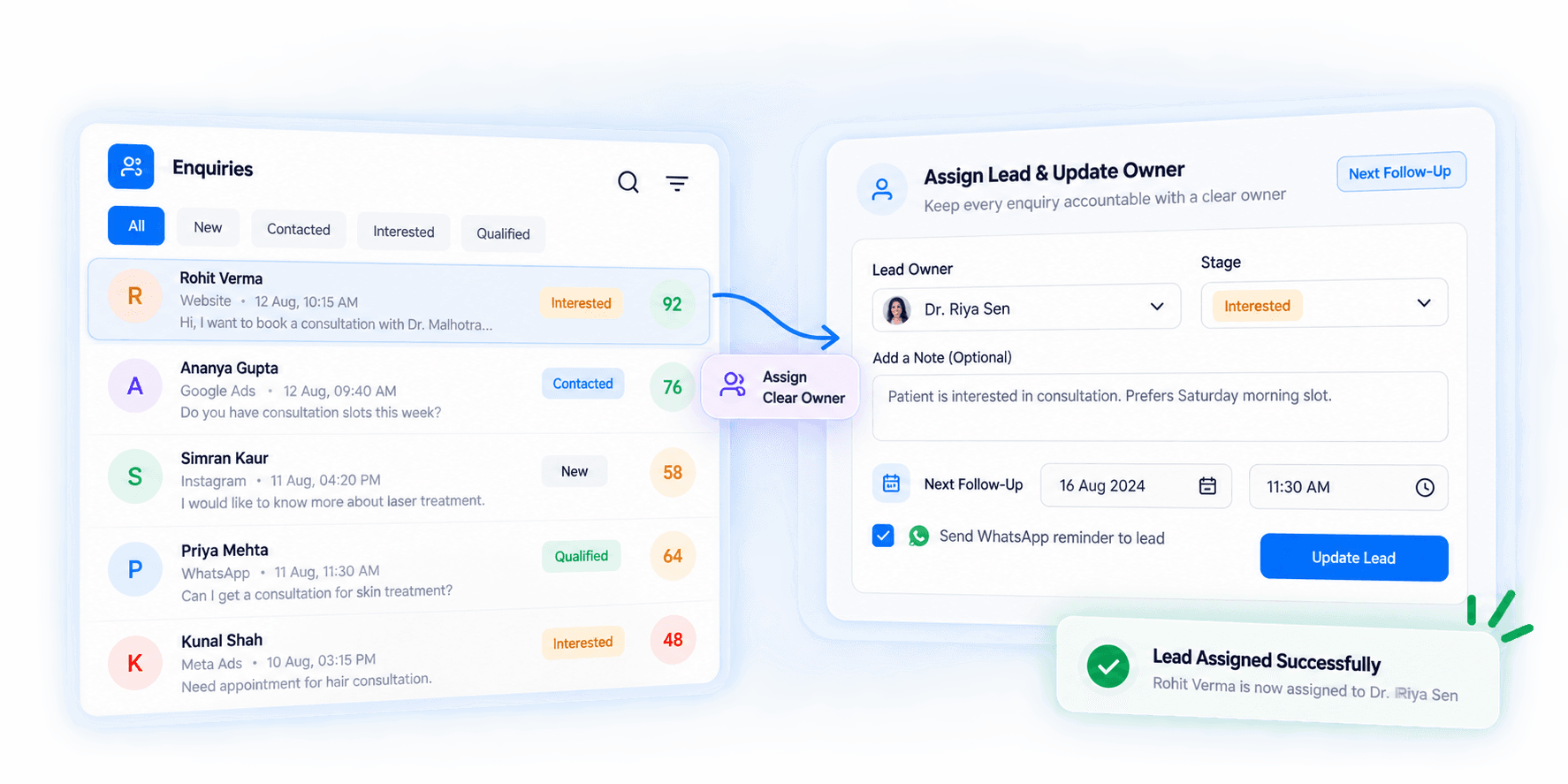
Keep Ownership Visible for Every Lead
Assign leads to specific users or teams and maintain clear visibility into who currently owns each opportunity, so nothing sits unassigned.
- Lead Owners
- User Assignment
- Ownership Updates
- Responsibility Visibility
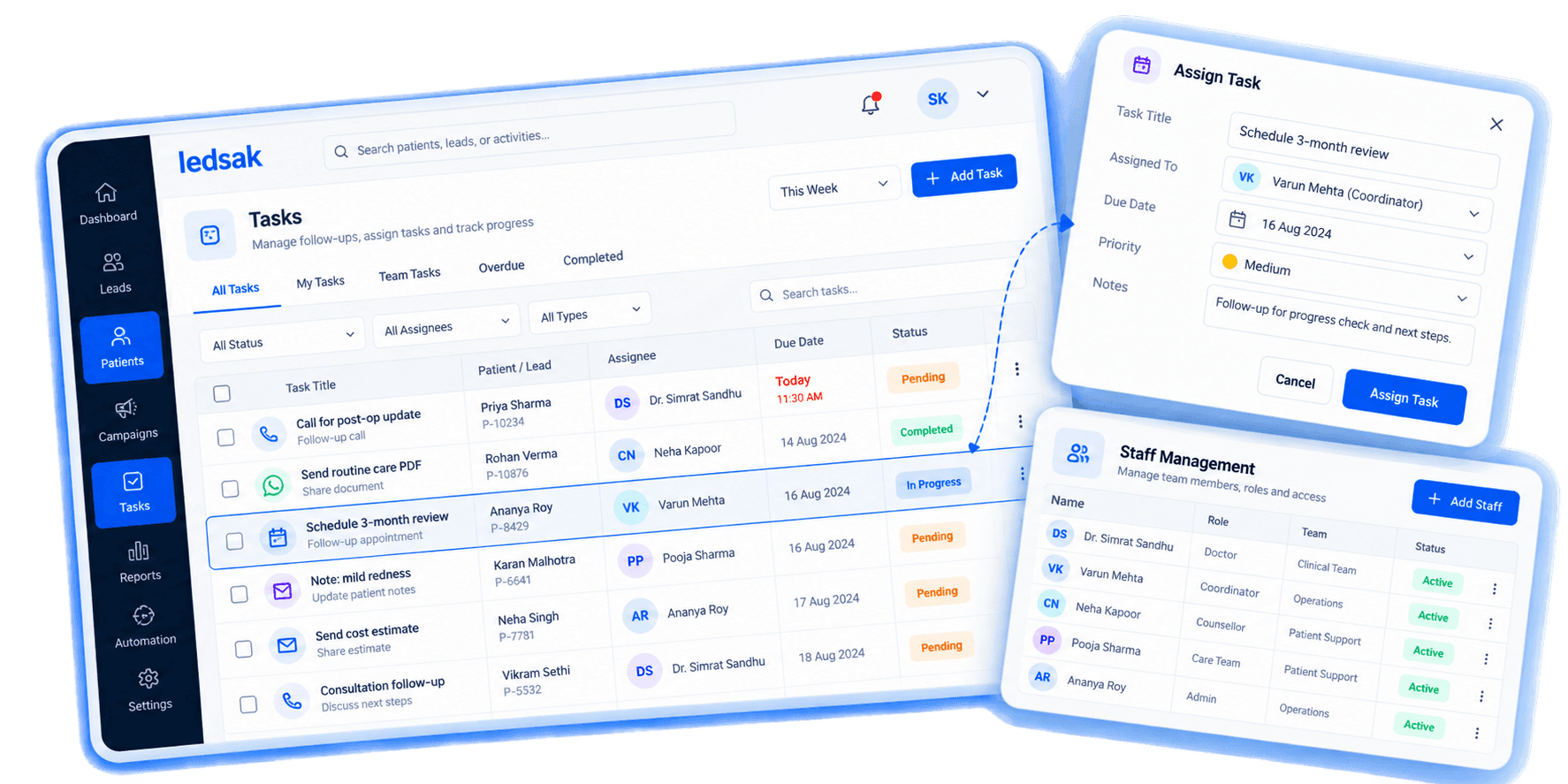
Give Every Task a Clear Owner and Status
Give each task a clear owner, due date, and status so responsibilities stay easy to track across the whole team.
- Task Ownership
- Due Task Visibility
- Completed Activities
- Pending Actions
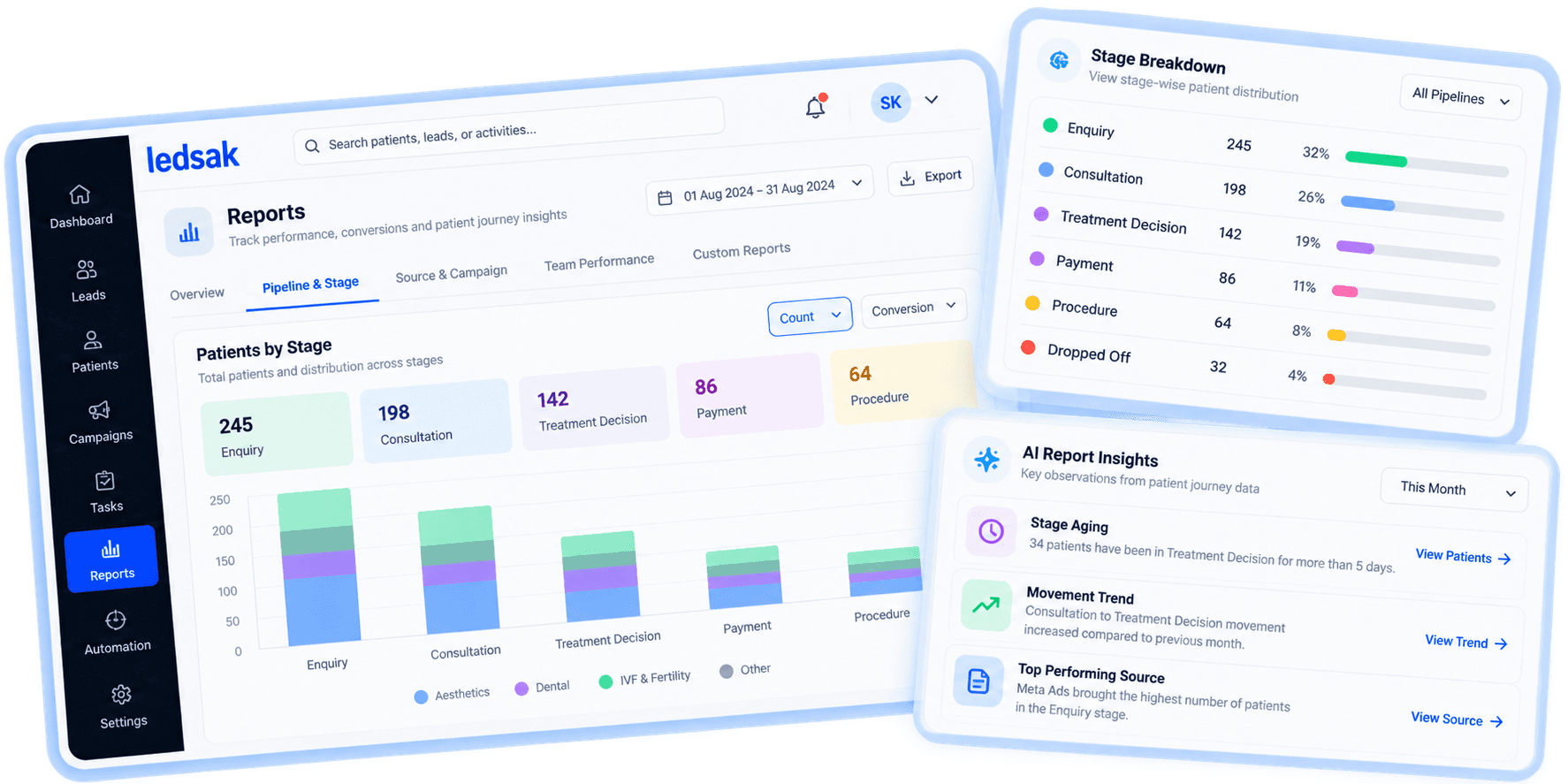
Give Managers a Clear View Across the Team
Review assigned leads, tasks, follow-ups, and other relevant CRM activity across users and teams from a single, structured view.
- User Activity Views
- Follow-Up Monitoring
- Task Visibility
- Team Activity Overview
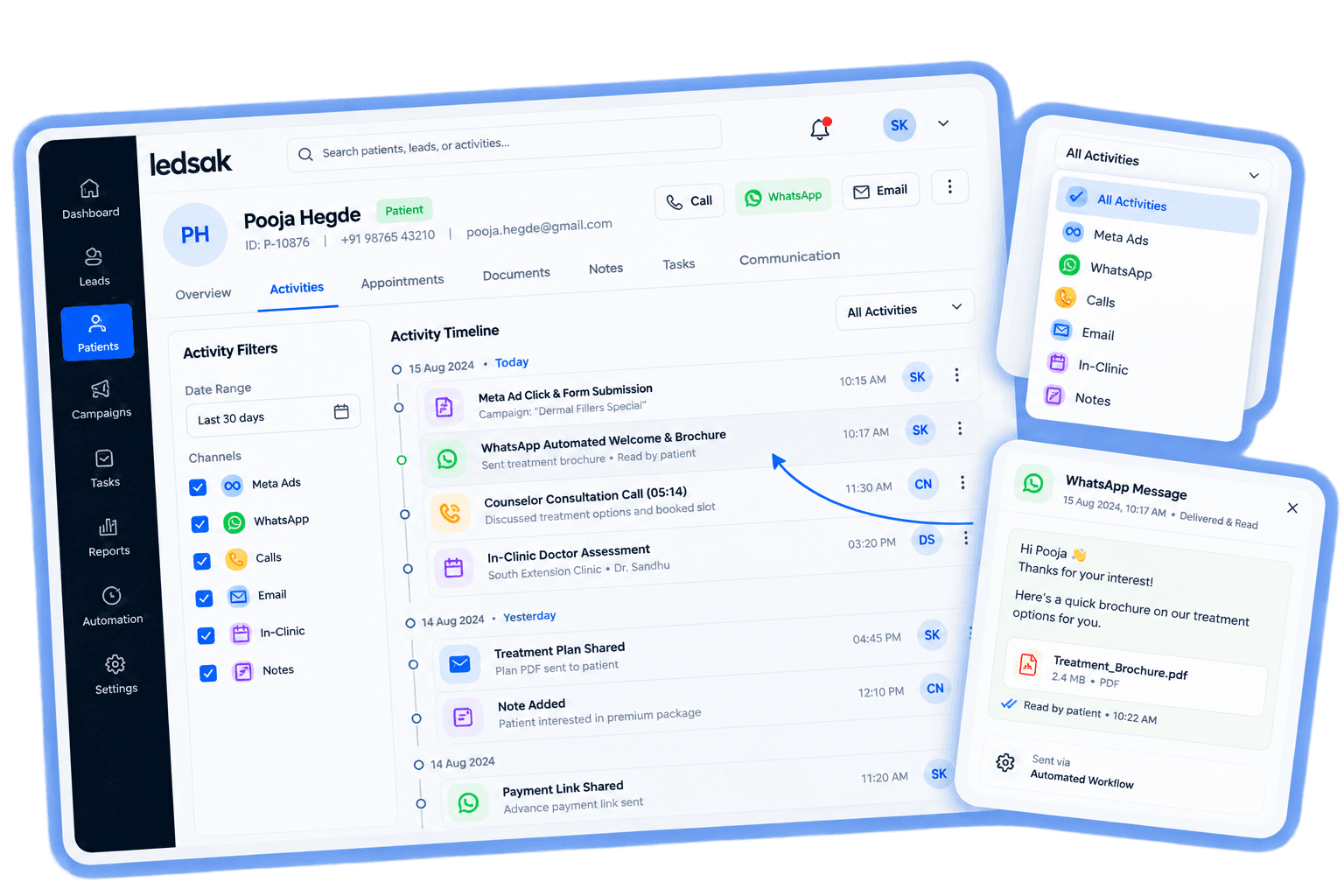
Keep a Time-Stamped Record of Every Change
Record relevant activity against a user and timestamp so authorized managers can review changes and system activity whenever it's needed.
- User Activity Records
- Change History
- Time-Stamped Actions
- Audit Visibility
Build a More Accountable, Better-Organized Team
Give users access based on their role, make ownership visible across leads, tasks, and team activity, and give managers a structured view of who's doing what — instead of chasing updates across spreadsheets and chats.
Every Action Attributed
See who did what, when, across the whole team, with a time-stamped audit trail.
Unassigned Leads
Every enquiry, task, and follow-up gets a clear owner automatically.
Manager Visibility
Review team activity, ownership, and pending work from a single view.
Need Assistance? We're Here to Support You!
Reach out to us for personalized help configuring roles, permissions, and team structure for your clinic's CRM. Our healthcare workflow specialists are here to assist you.
Contact Us Today