
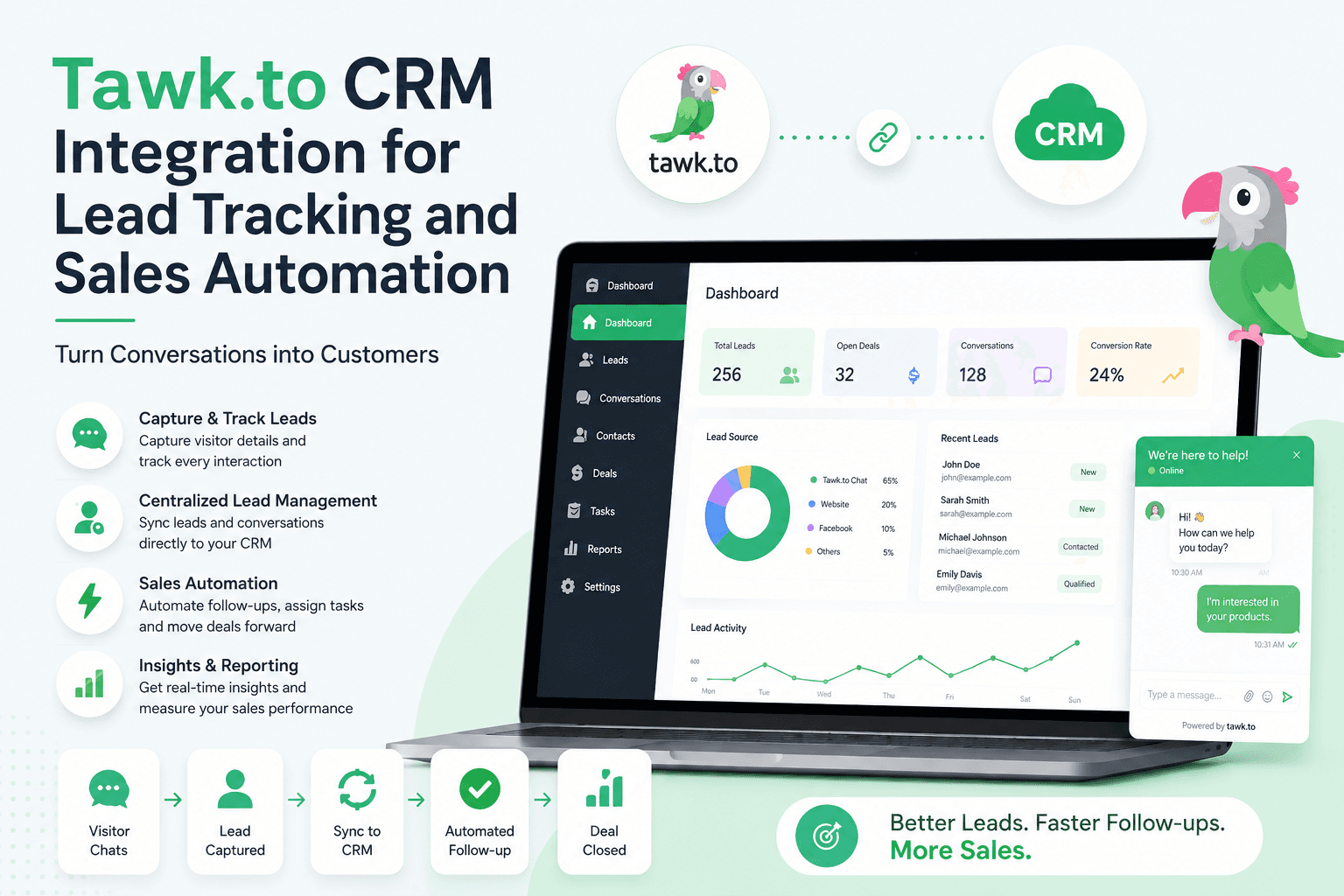
A website visitor starts a chat.
They ask about your pricing, service, product or availability. Your team answers the question, and the conversation ends.
But what happens next?
If the chat remains only inside your live chat platform, the sales team may have to manually copy the visitor's details into a CRM, remember to follow up and update the lead later. This is where a Tawk.to CRM integration can make the process much easier.
By connecting Tawk.to with a CRM, businesses can turn website conversations into structured leads, track interactions and automate the next steps in the sales process.
What Is Tawk.to CRM Integration?
A Tawk.to CRM integration connects Tawk.to's live chat and contact data with a CRM or another business system.
Tawk.to already includes a Contacts feature that works as a built-in CRM. It can store contact details, conversation history, internal notes and related organizations. Contacts can be created through chats, pre-chat forms, CSV imports and software integrations.
Businesses can also connect Tawk.to with external systems through webhooks, Zapier, Make and custom integrations. Tawk.to webhooks can send information when a chat starts, a chat ends, a new ticket is created or a chat transcript becomes available.
This creates a simple flow:
Website visitor → Tawk.to chat → Lead captured → CRM updated → Follow-up triggered → Sales conversion
The exact workflow depends on the CRM and integration method being used.
Why Integrate Tawk.to With a CRM?
Live chat can capture high-intent visitors because people often start a conversation when they already have a question or are considering a purchase.
The problem is that a conversation alone does not guarantee a sale.
A prospect may need:
A call from the sales team
A product demonstration
Additional information
A quotation
A reminder
Several follow-ups before making a decision
A Tawk.to integration with CRM helps move these conversations into a broader sales workflow.
Instead of treating every chat as a separate conversation, your team can connect the chat to a lead record and continue managing the prospect after the conversation ends.
How Tawk.to Lead Management Works
Good Tawk.to lead management starts by capturing useful information from website visitors.
A visitor may provide their name, email address and phone number through a pre-chat form. Agents can also add contact details during a conversation. Tawk.to can create or update a contact when these details are saved.
Once the contact is captured, the CRM can be used to organize the lead.
For example:
New Lead → Contacted → Qualified → Follow-Up → Proposal → Won/Lost
The sales team can then see where each lead stands and what action needs to happen next.
This is especially useful for businesses handling a large number of website enquiries.
Tawk.to CRM Integration for Lead Tracking
The biggest advantage of a Tawk.to CRM integration for lead tracking is continuity.
The conversation should not be the end of the customer journey. It should become another data point in the lead's journey.
For example, imagine a visitor asks:
"How much does your service cost?"
The agent answers and collects the visitor's contact details.
Instead of leaving the interaction inside Tawk.to, the lead can be moved into the CRM.
The sales team can then:
Review the conversation.
Check the lead's details.
Assign the lead to a salesperson.
Set a follow-up task.
Track the lead through the sales pipeline.
Record the outcome.
This gives the sales team context before they make the next contact.
What Can You Track?
Tawk.to lead tracking can include different types of information depending on the integration and CRM setup.
Useful information may include:
Visitor name
Email address
Phone number
Chat history
Chat transcripts
Lead source
Sales stage
Assigned salesperson
Follow-up status
Notes
Tickets
Conversion status
Tawk.to's webhook system can send chat and ticket events to external applications, including chat starts, chat ends, new tickets and chat transcripts.
This allows businesses to build workflows around important customer interactions.
How Tawk.to Sales Automation Works
The goal of Tawk.to sales automation is not to automate every customer conversation.
It is to automate the repetitive work that happens around those conversations.
For example:
1. Capture a New Lead
A visitor starts a chat and provides their contact information.
The contact is created or updated in the connected system.
2. Assign the Lead
The CRM can assign the lead to the appropriate salesperson based on predefined rules.
For example, leads can be assigned according to location, service, product interest or team.
3. Create a Follow-Up Task
Once the chat ends, the CRM can create a task for the assigned salesperson.
This reduces the risk of promising to follow up and then forgetting.
4. Send Notifications
Your team can receive an alert when a new chat lead needs attention.
This is particularly useful when several salespeople are handling website enquiries.
5. Update the Lead Stage
After the salesperson contacts the prospect, the lead can move to the next stage.
This creates a clear sales pipeline instead of leaving the conversation as an isolated chat.
Automating Tawk.to With Webhooks, Zapier and Make
Tawk.to provides several ways to connect its data with external applications.
Webhooks
Tawk.to webhooks can send real-time event notifications to external applications. Businesses can configure events such as chat starts, chat ends, new chat transcripts and new tickets.
This is useful when you have a CRM or internal system that can receive webhook data.
Zapier
Tawk.to can also connect with other applications through Zapier. Tawk.to's documentation gives examples such as creating a new deal in Pipedrive when a chat ends or adding a new contact to HubSpot.
This allows businesses to create trigger-and-action workflows without building every connection from scratch.
Make
Make can also be used to create automated workflows. Tawk.to supports webhook-based Make scenarios where an event in Tawk.to can trigger an action in another application.
The best option depends on the CRM, technical requirements and level of customization your business needs.
Tawk.to Integration With Ledsak
For businesses looking to connect website chats with a broader sales workflow, Ledsak offers a Tawk.to integration designed to turn website conversations into leads.
According to Ledsak, its Tawk.to integration can automatically capture leads from live chats, sync conversations, track chat history and support chat-to-lead conversion. It also provides sales-focused features such as real-time notifications for new chat leads, conversation history and sales pipeline tracking.
This makes the workflow more complete:
Visitor starts a Tawk.to chat → Lead is captured → Lead enters Ledsak → Sales team receives the lead → Conversation history is available → Follow-up is automated → Lead moves through the pipeline
The benefit is not simply having another integration. It is keeping the conversation and the sales process connected.
Ledsak's broader integration platform is designed to capture leads from third-party applications and move them into a centralized lead management workflow.
Benefits of Tawk.to CRM Integration
A well-planned integration can improve several parts of the sales process.
Faster Lead Response
New chat leads can reach the sales team faster instead of waiting for manual data entry.
Better Lead Visibility
Salespeople can see the lead's contact information, conversation history and current status in one workflow.
Fewer Missed Follow-Ups
Automated tasks and reminders can reduce the chances of leads being forgotten after a chat.
Better Sales Prioritization
Leads that show strong buying intent can be identified and prioritized for faster action.
Less Manual Work
Your team does not have to repeatedly copy contact details between platforms.
Better Customer Context
Salespeople can review previous conversations before contacting the prospect. This helps avoid asking the same questions again.
Best Practices for Tawk.to Lead Tracking
Integration works best when the underlying sales process is clearly defined.
Capture the Right Information
Do not ask visitors for unnecessary information. Focus on details your sales team actually needs.
Define Your Lead Stages
Create clear stages such as New, Contacted, Qualified, Follow-Up and Converted.
Set Response Rules
Decide how quickly new chat leads should receive a sales response.
Keep Conversation History
A sales representative should be able to understand what the visitor discussed before making contact.
Automate Repetitive Tasks
Use automation for notifications, assignments, reminders and routine follow-ups.
Measure Conversions
Do not stop at the number of chats received.
Track what happens after the chat:
Chats → Leads → Qualified Leads → Appointments → Sales
This gives you a much clearer picture of the value generated by your website chat.
Common Mistakes to Avoid
A CRM integration can improve lead management, but poor setup can still create problems.
Capturing every chat as a sales lead: Not every website conversation represents genuine buying intent. Define what qualifies as a lead.
Sending immediate generic messages: Automation should support the conversation, not make the experience feel robotic.
Ignoring chat context: A lead record without conversation history may not give the salesperson enough information.
Creating too many automation rules: Start with important workflows and expand gradually.
Tracking chats but not conversions: High chat volume does not necessarily mean high sales. Connect chat activity with actual business outcomes.
Is Tawk.to CRM Integration Worth It?
If your website receives regular live chat enquiries, connecting Tawk.to with a CRM can make lead management more structured.
It can help your team move from:
Chat → Contact → Follow-Up → Sales
instead of:
Chat → Conversation Ends → Lead Forgotten
The real value comes from connecting customer conversations to the actions that happen afterwards.
A Tawk.to CRM integration for lead tracking can give sales teams better visibility, while automation can help ensure that promising conversations receive timely follow-up.
Turn Website Chats Into Sales Opportunities With Ledsak
Website chat is often the first real conversation between a prospect and your business. That conversation should not disappear once the chat window closes.
Ledsak's Tawk.to integration is designed to connect live chat conversations with lead capture, sales tracking and follow-up workflows. It can help businesses capture chat leads, maintain conversation context and move prospects through the sales pipeline.
If your team is losing time managing chat leads manually, Ledsak can help create a more connected process from the first conversation to conversion.
Ready to turn more website conversations into sales opportunities? Explore Ledsak's Tawk.to integration and see how automated lead management can fit into your sales workflow.